Retail Network Setup: A Practical Guide for IT Managers
- Sosa Solutions NYC
- Jul 31
- 16 min read
Updated: Aug 7

A retail network setup is the end-to-end process of designing, installing, and managing the IT infrastructure that keeps a store running: POS terminals, Wi-Fi, IP cameras, back-office systems, and the connectivity that ties them together. Get it wrong and transactions fail, cameras go dark, and your staff is standing at a register that won’t respond.

The operational imperative is simple: keep transactions flowing, no matter what.
Here’s what every retail network setup must account for:
Cabling template with labeled drops and a consistent rack layout
Edge device (router/firewall, SD-WAN capable)
Managed PoE switch (48-port is the common standard, with 25% growth headroom)
Wireless access points ceiling-mounted for coverage and roaming
IP cameras on PoE with dedicated surveillance VLAN
UPS for graceful shutdown on power loss
Cellular failover gateway as a hardware-level backup link
Monitoring and observability platform with remote access
PCI DSS segmentation isolating POS traffic from everything else
Three standards and frameworks anchor every decision here: PCI DSS for payment security, the N+1 redundancy rule for hardware resilience, and the managed IT approach that Sosasolutionsnyc brings to retail store openings across New York and Florida.
Table of Contents
What does a retail network setup actually include?
The physical layer starts at the demarc, where your ISP hands off to your equipment. From there, a typical store rack holds a modem, an edge router or firewall (SD-WAN capable for multi-site deployments), a managed PoE switch, and a UPS. Wall or ceiling-mounted APs handle wireless. IP cameras pull power directly from the PoE switch. POS terminals, payment PIN pads, barcode scanners, and digital signage players all connect through the same managed switch infrastructure.
Structured cabling for a typical retail location includes multiple Cat6 drops, with rack size generally sufficient for a small wall-mount enclosure in a temperature-controlled back office. Patch panels should be segmented by function: POS drops on one panel section, data/staff drops on another, cameras on a third. That separation pays off the first time you need to trace a fault at 2 AM.
Component | Recommended Spec | Notes |
Rack | compact wall-mount suitable for retail back office | Temperature-controlled back office |
PoE Switch | managed PoE+ with ample ports | Intended to allow growth headroom on power budget |
Cat6 drops | Multiple per location | Segmented by function on patch panel |
APs | Ceiling-mount, dual-band | One per coverage zone |
UPS | Matched to load | Covers router, switch, cameras |
Cellular gateway | Cellular-based (such as 4G or 5G) | Hardware-level failover, separate APN |
On the software side, VLANs do the heavy lifting for segmentation. DHCP and DNS run either on the edge device or a dedicated server. RADIUS or TACACS+ handles authentication for management interfaces. A cloud controller or centralized management platform gives you visibility across every site from one dashboard. Out-of-band management, whether a dedicated console server or a cellular-attached management port, is what lets you recover a misconfigured device without rolling a truck.
PoE budgeting deserves its own line item in your planning. Document PoE allocation per port in the cabling schedule. A switch that’s running at 90% of its power budget today has no room for the two cameras you’ll add next quarter.
For a deeper look at the infrastructure layer, the retail IT infrastructure guide from Sosasolutionsnyc covers planning considerations for both new builds and retrofits.
How should you design the logical architecture for a single store?
The reference pattern that works for most retail stores: one wired primary ISP connection, native cellular failover at the hardware level, an SD-WAN or VPN tunnel back to HQ, and VLAN segmentation on-site. That’s it. Over-engineered routing creates fragile dependencies; a simple, rugged template creates stores you can replicate and support at scale.
Traffic flows in two directions. POS terminals sit on a dedicated POS VLAN and communicate directly to the payment processor over an encrypted path, with QoS rules that give payment traffic strict priority over everything else. Management and telemetry traffic flows to a central observability platform, either cloud-hosted or at HQ, through the SD-WAN tunnel.
Five logical segments cover most retail environments:
POS VLAN — payment terminals, PIN pads, inventory sync
Staff/administration VLAN — back-office PCs, printers, time clocks
Guest Wi-Fi VLAN — isolated, internet-only, no access to internal resources
Surveillance VLAN — IP cameras, NVR/DVR, restricted to recording server
IoT/OT VLAN — digital signage, HVAC controllers, smart locks
Edge resilience follows the N+1 rule: every critical device has a spare or a redundant path. The UPS covers the router, switch, and cameras so the store can complete in-flight transactions and record footage through a brief power event. Out-of-band management, a cellular-attached console or management port, means you can reach the device even when the primary WAN link is down.
Practical setup items that reflect this architecture:
Use site-local IP addressing with consistent subnet templates across stores (e.g., 10.X.Y.0/24 per site)
Apply QoS policies that mark POS and inventory traffic as highest priority
Set NAT and port policies to allow only the specific remote-support ports your team uses
Tunnel guest traffic to a DMZ or cloud breakout, never to HQ
How do you plan and deploy a retail store network?
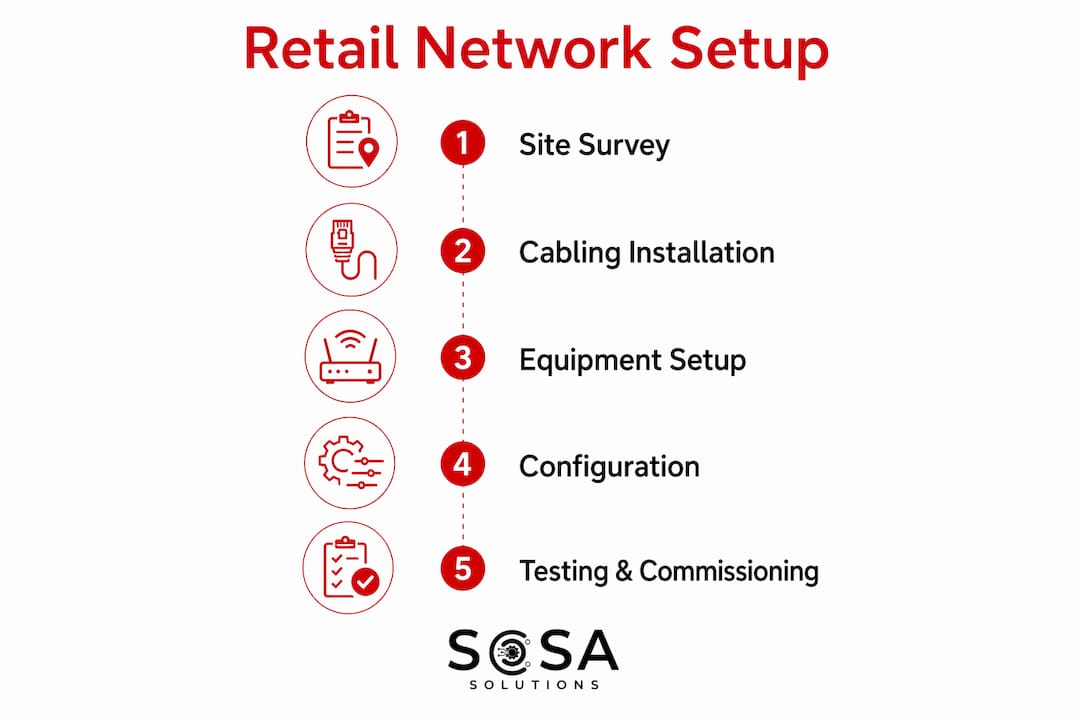
The recommended sequence: survey, design, stage, pull cable, terminate, commission, test, document. Skipping or compressing any phase can create rework that increases total effort.
Deployment checklist:
Site survey and floor plan — walk the space, photograph the demarc location, identify AP mounting positions, camera angles, rack location, and power outlets
Cabling template and labeling scheme — define drop locations, label format (e.g., A01-POS, B03-CAM), and patch panel assignment before a single cable is pulled
Rack location and environmental check — confirm the back office has adequate ventilation, a dedicated circuit, and physical security (lockable door or cage)
Equipment staging and preconfiguration — load site templates onto edge devices before shipping; use USB or QR provisioning where the platform supports it
Structured cable pulls — run Cat6 to all drop locations per the template
Termination and patching — terminate jacks and patch panel ports, label both ends
AP placement and RF check — mount APs per the survey plan, run a quick coverage scan targeting –65 dBm minimum signal at the floor level
Camera placement and PoE budgeting — mount cameras, verify PoE allocation doesn’t exceed 75% of switch budget
Device commissioning — apply firmware updates, configure VLANs, QoS, and firewall rules per the site template
End-to-end acceptance testing — run the full test suite (see below) and capture wiremap certificates
Documentation handoff — upload rack elevation photo, cable schedule, IP/VLAN plan, and test results to the central repository
Minimum acceptance tests before sign-off:
POS transaction test to the live payment processor
Wi-Fi coverage walk with –65 dBm target at all POS and staff locations
Simulated ISP outage to confirm cellular failover activates within the SLA window
Camera footage recording verification with correct timestamps
Patch panel port verification against the cable schedule
A standardized cabling template with photo-backed rack elevations cuts troubleshooting time dramatically and eliminates the site-variation debt that accumulates when every location is wired differently. For a template-based install with around twenty drops, a small crew typically completes cable pulls first, then terminations and patching, followed by testing and commissioning. Retrofits in occupied stores usually require overnight windows spread across multiple nights.
Pro Tip: Pre-configure edge devices with the site template at your staging bench, not on-site. A device that arrives pre-loaded with the correct VLANs, QoS policies, and firewall rules cuts commissioning time from hours to under 30 minutes.
How do you keep the network resilient and PCI-aware?
Resilience and security are the same problem viewed from different angles. An isolated POS VLAN that stays reachable during a WAN outage is both a security control and a resilience control.
Practical controls to implement:
N+1 for critical hardware — keep a spare edge router and PoE switch on the shelf or in a central depot; mean time to hardware replacement matters more than MTBF specs
Physical security — locked rack enclosures and tamper-evident panels support PCI DSS Requirement 9, which governs physical access to cardholder data environments
Cellular failover — configure failover at the hardware level so it activates automatically; use a separate APN or SIM carrier where possible to avoid a single-provider outage taking out both paths
POS VLAN ACLs — allow only the specific destination IPs and ports the payment processor requires; deny everything else by default
Inter-VLAN policy — deny-by-default between all VLANs; create explicit allow rules only where business traffic requires it
Management VLAN — restrict admin access to a jump host or VPN; no direct management access from the POS or guest VLANs
Centralized logging — send syslog and SNMP traps to a central collector; this is both an operational tool and a PCI audit requirement
Firmware cadence — patch edge devices and switches on a documented schedule, tested in staging before production rollout
QoS and traffic prioritization are not optional when a store runs both payment traffic and guest Wi-Fi on the same physical infrastructure. A guest streaming video should never be able to crowd out a card transaction. Mark POS and inventory sync traffic as highest priority at the edge device, and enforce that marking at the switch level.
Monitoring platforms like LogicMonitor ship with PCI-aligned dashboards and prebuilt compliance views, which reduces the manual effort of pulling audit evidence.
Pro Tip: Out-of-band management plus a one-page local rollback procedure is faster and safer than relying on complex SDN failover behaviors. If your primary WAN and your management path share the same physical link, you have no out-of-band management at all.
What does day-to-day retail network monitoring look like?
Proactive monitoring and remote-first operations reduce mean time to resolution and make it possible to support dozens or hundreds of stores without proportionally growing your field team. Vendors report faster issue detection and resolution when synthetic transactions and proactive monitoring are in place, catching problems before they affect a single transaction.
Core operational components:
Centralized dashboard with automated device discovery
Device health metrics: CPU, memory, interface errors, PoE budget consumption
Synthetic transaction monitoring to validate POS connectivity end-to-end
WAN uptime, packet loss, and jitter tracking per site
AP client counts and signal quality
Camera stream health and recording status
Remote power control (PoE PD cycling) for remote device restarts
Operational playbooks recommend tiering devices by criticality: Tier 1 for POS and edge devices, Tier 2 for cameras and APs, Tier 3 for IoT and signage. That tiering drives alert thresholds and escalation paths.
Runbook: POS terminal offline
Check the centralized dashboard for WAN status at the affected site
Confirm cellular failover status — is the backup link active?
Attempt remote power cycle of the POS terminal via PoE PD control
Check switch port status and VLAN assignment for the affected port
Attempt remote access to the edge device via out-of-band management
If unresolved within 15 minutes, escalate to on-site dispatch with a pre-populated ticket including all remote findings
For tool recommendations and examples, the retail system monitoring tools guide from Sosasolutionsnyc covers practical options for store managers.
Scaling from a handful of stores to hundreds requires automated provisioning APIs, config templates stored in version control, and a spare-equipment strategy that puts replacement hardware within same-day reach of every location. Automated discovery and centralized inventory reduce time-to-detect across distributed estates; start monitoring at your highest-risk locations first to establish a baseline, then roll templates outward.
What does a single-store rollout cost and how long does it take?
A template-based install for a small retail store with multiple drops typically runs over several days with a small crew. New construction is faster; retrofits in occupied stores stretch longer because work happens in overnight windows.
Primary cost drivers:
Cabling and labor — the largest variable; complexity and drop count drive this number
Edge appliance (router/firewall) — SD-WAN-capable units cost more upfront but reduce operational overhead at scale
Managed PoE switch — 48-port PoE+ with headroom; don’t buy the minimum
Wireless APs — quantity driven by square footage and wall construction
IP cameras — count and resolution tier
UPS — sized to the actual load, not a guess
Cellular gateway and SIM — monthly recurring cost, often carrier-contracted
Monitoring subscription — per-device or per-site SaaS fee
Travel and dispatch — significant for remote or out-of-market locations
Typical timeline:
Phase | Duration |
Site survey | 1 day |
Cable pulls | 1–2 days |
Equipment install and commissioning | 1 day |
Budget for spare parts from day one. A spare edge router and a spare PoE switch per region cuts hardware MTTR from days to hours. Plan a refresh cycle for PoE switches and APs every 4–6 years; the power and radio hardware degrades before the chassis fails. For cost-conscious deployments, affordable IT solutions for small retail stores outlines managed service options that spread capital costs across a contract term.
Store opening network checklist
Use this checklist for the final pre-opening phase. Every item needs a pass before the store goes live.
Demarc confirmed active and ISP circuit tested
Rack installed, locked, and environmental conditions verified (temperature, ventilation)
All cable drops tested and wiremap certificates captured
AP RF coverage validated at –65 dBm minimum across all POS and staff zones
All cameras recording with correct date/time stamps
POS transaction validated end-to-end to the payment processor
Cellular failover test executed and documented (primary WAN disconnected, failover confirmed active)
All device firmware current per the approved version list
Documentation uploaded to central repository: rack elevation, cable schedule, IP/VLAN plan, test results
Acceptance sign-off fields: Site ID, installer name, test results summary (pass/fail per item), sign-off timestamp, and reviewer name.
For surveillance-specific acceptance steps, the retail surveillance system IT setup guide covers camera cabling, PoE budgeting, and recording verification in detail.
How should you plan for disaster recovery in retail networks?
Disaster recovery for retail networks is not the same as enterprise DR. The goal is narrower and more urgent: keep the POS running or restore it within minutes, not hours.
The foundation is the same cellular failover and UPS infrastructure already in place for resilience. What turns that infrastructure into a DR plan is documentation and testing. Every store needs a one-page recovery procedure that any technician can execute without calling HQ. That document lives in the rack, printed and laminated, and in the central repository.
Beyond hardware failover, retailers need to account for ransomware scenarios. NETSCOUT’s guidance on retail network security points to immutable backups and clean-room recovery as core requirements when ransomware containment is the goal. For store networks specifically, that means keeping POS configuration backups off the primary network path and testing restoration at least annually.
Cloud-hosted management platforms add a recovery dimension that on-premises controllers can’t match: if the local controller fails, the cloud platform retains the last known configuration and can push it to replacement hardware. That’s a meaningful reduction in recovery time for a store that loses its edge device.
DR testing should be scheduled, not improvised. Run a simulated ISP outage quarterly. Verify cellular failover activates and POS transactions succeed on the backup link. Log the results. PCI DSS auditors will ask for evidence of testing, and a log of quarterly failover tests is exactly the kind of documentation that satisfies that requirement.
How do you scale a retail network across multiple stores?
The answer is templates. Every store that deviates from the standard template is a store that costs more to support, takes longer to troubleshoot, and creates exceptions in your monitoring platform.
Preconfigured hardware shipped with site templates shortens store onboarding and reduces configuration errors during field installs. The industrialized approach treats each store as an instance of a standard design, not a custom project. That means the same rack layout, the same IP addressing scheme, the same VLAN IDs, and the same monitoring agent configuration at every location.
For multi-site management, platforms like Cisco Meraki’s cloud dashboard or Cisco Catalyst Center manage thousands of remote sites from a single interface, pushing configuration changes and firmware updates across the entire estate without touching individual devices. Cisco’s validated retail profile supports up to 2,000 remote sites managed through a single Catalyst Center cluster, which illustrates the scale these platforms are designed for.
Automated provisioning APIs and Infrastructure as Code approaches, like the Branch as Code methodology Cisco documents for Meraki deployments, take this further: a new store gets its network configuration from a YAML template checked into version control, not from a technician typing commands. That approach cuts deployment time and creates an audit trail for every change.
Retail expansion connectivity best practices from Sosasolutionsnyc covers the scaling considerations in more depth, including ISP procurement and WAN design for multi-store chains.
How do you integrate cloud services with a retail network?
Cloud services touch retail networks at several points: cloud-managed network controllers, SaaS POS platforms, cloud-based inventory and ERP systems, and AI-powered observability tools. Each integration point needs a deliberate design decision, not an afterthought.
The most common mistake is routing all cloud-bound traffic through an HQ VPN. That adds latency, creates a single point of failure, and saturates the WAN link. The better approach is local internet breakout at each store for cloud and SaaS traffic, with the SD-WAN policy enforcing which traffic goes to HQ and which exits locally.
AI-powered observability platforms are becoming standard for large retail estates because manual ticket correlation doesn’t scale across hundreds of locations. Tools like Site24x7 and LogicMonitor provide predictive analytics that flag degradation before it causes a transaction failure, and they ship with PCI-aligned dashboards that reduce compliance reporting effort. The parallel in foodservice AI adoption is instructive: AI automation in fast food shows how operational AI tools reduce manual workload and improve consistency at scale, a pattern that applies directly to retail network observability.
Cloud-managed network platforms like Cisco Meraki eliminate the need for on-premises controllers at each store. The AP and switch configuration lives in the cloud, and devices can be provisioned remotely using Plug and Play. That changes the store-opening model: hardware ships directly to the site, a local technician racks and cables it, and the cloud platform pushes the configuration automatically.
Security for cloud integrations follows the same segmentation principles as the rest of the network. Cloud management traffic should travel over an encrypted tunnel, and management credentials should be protected by multi-factor authentication. Never expose the cloud management dashboard to the guest Wi-Fi VLAN.
How do you maintain a retail network over its lifecycle?
Maintenance is where most retail networks quietly degrade. Firmware goes unpatched, spare parts run out, and documentation drifts from reality.
Firmware and patching: Set a documented cadence, quarterly for edge devices and APs, semi-annual for switches. Test firmware updates in a staging environment or on a non-production store before rolling out to the fleet. Automate the rollout where the platform supports it, but keep a rollback plan for every update.
Spare parts: Maintain a regional spare kit that includes at minimum one edge router, one PoE switch, and a supply of patch cables and SFP modules. The goal is same-day hardware replacement for any Tier 1 device. A spare sitting in a warehouse two states away is not a spare.
Documentation: Treat the network documentation as a living asset. Every change, a new camera, a VLAN addition, a firewall rule update, gets recorded in the central repository within 24 hours. A rack elevation photo taken at install and never updated is worse than no photo, because it creates false confidence. Schedule an annual documentation audit where someone physically verifies the rack against the diagram.
Lifecycle planning: PoE switches and APs have a practical useful life of 4–6 years before performance and vendor support become concerns. Build that refresh cycle into the capital budget, not as a surprise expense. Edge routers and firewalls often last longer, but security support windows drive the replacement timeline more than hardware failure.
For centralized IT management approaches that keep documentation and lifecycle tracking manageable across multiple stores, Sosasolutionsnyc’s guide covers the operational model in detail.
Key Takeaways
A retail network setup succeeds when POS traffic is isolated, cellular failover is hardware-level, and every store is built from the same documented template.
Point | Details |
Standardize with templates | Identical rack layouts and VLAN schemes across stores cut troubleshooting time and enable faster openings. |
Isolate POS traffic | A dedicated POS VLAN with deny-by-default inter-VLAN rules is both a PCI DSS requirement and a resilience control. |
Use hardware-level cellular failover | Native failover at the edge device activates automatically and avoids the fragile dependencies of software-only routing. |
Monitor proactively | Proactive monitoring with synthetic transactions detects issues before they affect transactions, reducing mean time to resolution. |
Sosasolutionsnyc for NY and FL stores | Sosasolutionsnyc delivers templated store-opening IT setup, managed monitoring, and on-site dispatch across New York and Florida. |
Why most retail networks fail before they open
The conventional wisdom says retail network problems are hardware problems. Buy better switches, get a faster ISP, add more APs. That framing misses the actual failure mode, which is almost always a process problem: no site template, no acceptance test, no documentation, and no one watching the network after the installer leaves.
The stores that stay up during a WAN outage are not the ones with the most expensive equipment. They’re the ones where someone documented the cellular failover procedure, tested it before opening day, and put the recovery steps in the rack. The stores that resolve a POS outage in 12 minutes instead of 2 hours are the ones with remote power control and a runbook, not the ones with the fanciest SD-WAN platform.
There’s a real cost to over-engineering, too. A store network with five routing protocols, a custom SDN overlay, and a bespoke monitoring integration is a store that only two people on your team can troubleshoot. When one of them is on vacation and a POS goes down on Black Friday, that complexity is a liability. The rugged, standardized template that a field technician can understand in 10 minutes is genuinely better than the elegant architecture that requires a specialist.
The managed partner model works for retail chains not because it’s cheaper in every case, but because it enforces the discipline that internal teams often can’t maintain across dozens of locations. Preconfigured templates, scheduled firmware updates, documented spare parts, and a 24/7 monitoring desk are hard to sustain internally when your IT team is also handling everything else the business needs.
Sosasolutionsnyc handles your store network from day one
Retail IT managers in New York and Florida have a concrete alternative to building and managing store networks entirely in-house. Sosasolutionsnyc delivers store opening IT solutions that cover the full setup: site survey, structured cabling, rack installation, device commissioning, and acceptance testing, all built on standardized templates that make every location consistent and supportable.

Beyond the opening, Sosasolutionsnyc provides managed monitoring with proactive alerting, remote troubleshooting, and on-site dispatch across New York and Florida. Managed SLAs define response times for Tier 1 incidents, a spare-equipment strategy puts replacement hardware within reach, and templated installs mean a new store gets the same proven configuration as every store before it. If you’re planning a store opening or a network retrofit and want a partner who handles the infrastructure so your team can focus on the business, contact Sosasolutionsnyc to discuss your project.
Useful sources and further reading
The sources below are worth bookmarking for technical depth, vendor tool evaluations, and compliance guidance.
Retail Store Network Installation Guide — CrimpShop: Detailed cabling templates, rack specs, drop counts, and PoE budgeting guidance for multi-site retail chains.
Retail Network Management Guide — Domotz: Operational playbook for remote-first monitoring, device tiering, and runbook design across distributed retail estates.
Retail Network Architecture — Medianwifi: Practical guidance on avoiding over-engineering, with a focus on hardware-level cellular failover and standardized templates.
Network Monitoring for Retail — Auvik: Overview of proactive monitoring approaches and synthetic transaction monitoring for retail environments.
Retail IT Monitoring — LogicMonitor: PCI-aligned observability dashboards and AI-powered monitoring for retail and restaurant chains.
Network Monitoring for Retail — Site24x7: AI-driven predictive analytics for retail network performance and PCI-DSS compliance monitoring.
Cisco Validated Retail Profile — Cisco: Reference architecture and validated use cases for enterprise retail network deployments using Catalyst Center.
Retail Store Connectivity Guide — Sosasolutionsnyc: Definitions and connectivity patterns for retail stores; a useful starting point for planning.
Remote IT Support for Retail — Sosasolutionsnyc: Practical guidance on remote-first workflows, escalation paths, and when to dispatch on-site.
Recommended
Comments