Affordable IT solutions for small retail stores in NY & FL
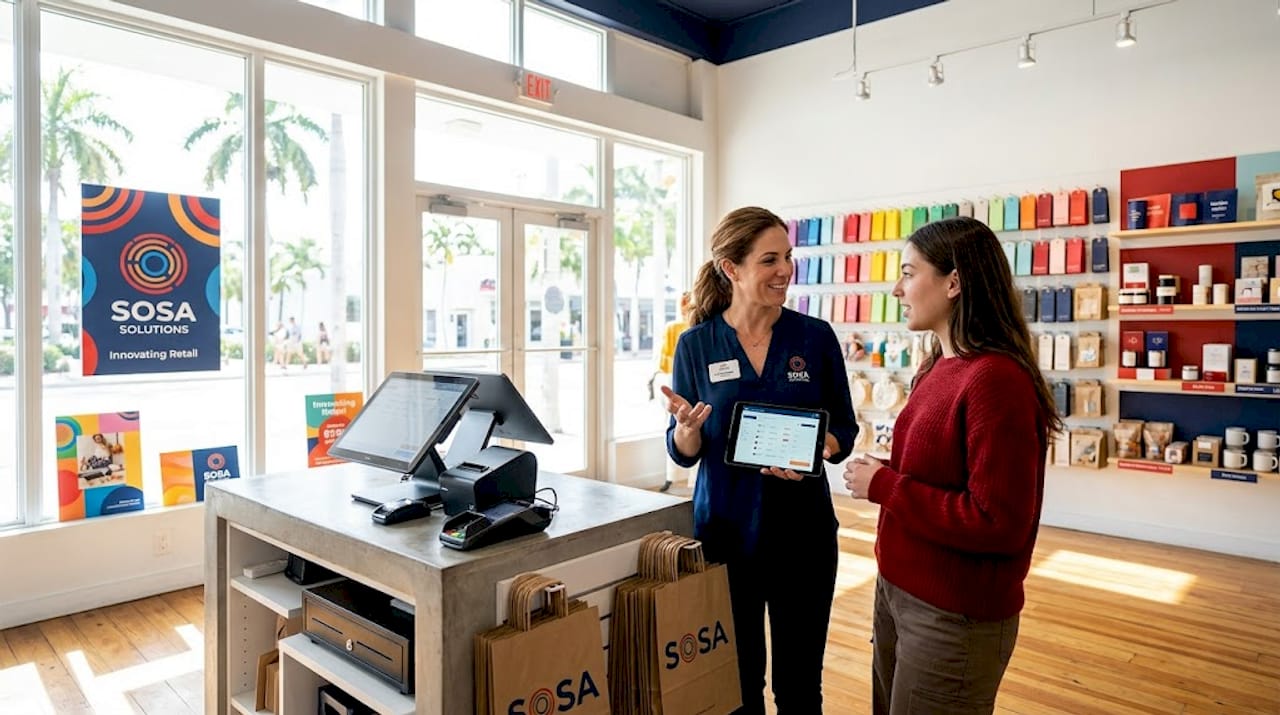
Running a retail store in New York or Florida means competing on tight margins while customers expect fast checkouts, accurate inventory, and a smooth shopping experience every time they walk in. Technology can deliver all of that, but it can also drain your budget fast if you pick the wrong tools or pay for features you never use. The good news is that affordable, right-sized IT solutions exist for stores of every size, and this guide walks you through exactly how to find, implement, and measure them so your investment pays off without breaking the bank.
Table of Contents
Key Takeaways
Point | Details |
Start with your needs | Assess which systems matter most to your retail business before spending on IT. |
Choose SMB-focused solutions | Pick tools designed for small businesses to avoid costly, unnecessary features. |
Invest in basic security | Affordable security training can significantly reduce your risk of costly incidents. |
Track and optimize ROI | Continuously monitor your tech spend and results to keep IT affordable and effective. |
Assessing your retail IT needs on a budget
Before choosing specific solutions, you need to understand what your store truly requires and where to focus your limited resources.
The first step is mapping out the systems your store depends on every day. For most retailers, that means four core categories: your point-of-sale (POS) system, inventory management, back-office tools like accounting and payroll, and physical security such as cameras and access controls. Each category carries its own cost and complexity, so knowing which ones are non-negotiable helps you avoid paying for overlap.
Start with a simple checklist. Walk through a typical business day and note every moment where technology either helps or slows you down. Is your checkout process fast and accurate? Does your inventory update in real time when a sale happens? Can you pull a sales report without logging into three different platforms? These friction points reveal your real gaps.
Core systems checklist for retail stores:
POS hardware and software (card reader, receipt printer, cash drawer)
Inventory tracking (barcode scanning, reorder alerts, supplier integration)
Back-office tools (accounting software, payroll, scheduling)
Network infrastructure (reliable Wi-Fi, router, backup internet connection)
Security systems (cameras, alarm, access logs)
Staff access management (individual logins, role-based permissions)
Once you have your list, separate it into must-haves and nice-to-haves. As retail inventory options show, free or low-cost tools work well for single-location retailers, while multi-location stores need higher integration and centralized reporting. A single boutique in Miami does not need the same infrastructure as a chain with five locations across Manhattan and Orlando.
When you plan your store opening IT solutions from day one, you avoid the expensive mistake of bolting on systems later that were never designed to work together.
Feature | Single-location need | Multi-location need |
Inventory sync | Basic, manual OK | Real-time, automatic |
Reporting | Simple daily totals | Centralized dashboard |
Staff logins | Shared OK | Individual with roles |
POS integration | Standalone | Unified across stores |
Security training | Basic annual | Ongoing with simulations |
Pro Tip: Always allocate at least 10 percent of your IT budget to basic security training before you spend a dollar on anything else. A compromised POS system costs far more to fix than it costs to prevent.
Choosing cost-effective IT solutions: Retail software & security
Once you know your requirements, you’re ready to match solutions to your store’s needs and budget.
The POS and inventory software market has never been more affordable for small retailers. Free plans from well-known providers give single-store operators everything they need to get started, while paid tiers unlock features like multi-location tracking and advanced analytics. Square for Retail’s free plan is a strong starting point for small businesses, while Lightspeed starts around $100 per month and suits stores that need more control over inventory and supplier management.
Here is a quick cost and feature comparison to help you decide:
Software | Starting cost | Best for | Key limitation |
Square for Retail | Free | Single-location, low volume | Limited advanced reporting |
Lightspeed Retail | ~$100/month | Growing stores, multi-location | Higher learning curve |
Shopify POS | ~$29/month | Omnichannel sellers | Transaction fees on lower plans |
Vend by Lightspeed | ~$99/month | Specialty retail | Overkill for very small stores |
For most single-store retailers in New York or Florida, starting with a free or entry-level plan and upgrading only when you hit a real limitation is the smartest financial move. Avoid the temptation to pay for features you think you might need someday.
What to prioritize when comparing retail software:
Real-time inventory updates that sync with your POS automatically
Cloud-based access so you can check reports from anywhere
Simple staff onboarding with minimal training required
Transparent pricing with no hidden transaction fees
Reliable customer support that does not require a premium tier
Cybersecurity deserves equal attention, and it is often the most overlooked budget line for small retailers. The reality is that security awareness training is one of the most cost-effective controls available to small businesses because it directly targets phishing, which is how most retail data breaches begin. Regular training can cut phishing success rates by up to 90 percent in the first year.
For stores that want ongoing protection without hiring a full-time IT person, exploring retail IT support options or a managed IT services overview gives you professional monitoring and response at a predictable monthly cost. This model works especially well for retailers who cannot afford downtime during peak shopping hours.
Implementing and maintaining affordable IT systems
With your chosen tools ready, it is time to put them in place and ensure staff are set up for success.
Implementation is where many small retailers stumble. They buy the right tools but rush the setup, skip staff training, or forget to document their configurations. A few hours of careful setup at the start saves dozens of hours of troubleshooting later.
Follow these steps to implement your retail IT systems correctly:
Set up your network first. Install your router, test your Wi-Fi coverage across the entire store floor, and confirm your backup internet connection works. Everything else depends on a stable connection.
Install and configure your POS software. Add your product catalog, set tax rates for your state (New York and Florida have different sales tax rules), and connect your card reader and receipt printer before your first transaction.
Set up individual staff logins. Assign role-based permissions so cashiers can process sales but cannot access payroll data. This limits your exposure if an account is ever compromised.
Connect your inventory system. Import your existing product list, set reorder points for your top sellers, and run a test transaction to confirm inventory updates automatically.
Schedule your first security training session. Even a 30-minute briefing on phishing emails and password hygiene makes a measurable difference. Online modules from providers like KnowBe4 cost as little as $20 per employee per year.
Document everything. Write down your software login credentials, network settings, and vendor support numbers in a secure location. This single step saves enormous time when something goes wrong.
Set a maintenance calendar. Block time monthly to review software updates, check for unusual login activity, and confirm your backups are running.
“A little training goes a long way. Annual costs as low as $20 per staff member can drastically cut your biggest cyber risk, with phishing attack reductions of 75 to 90 percent documented within the first year of consistent training programs.”
Maintenance is where long-term savings live. Retailers who skip updates and ignore warning signs end up paying emergency repair rates. Having access to reliable tech support on a scheduled basis, rather than calling in a panic during a busy Saturday, keeps costs predictable and your store running smoothly.
Pro Tip: Designate one staff member as your in-store IT point person. Give them a short troubleshooting checklist for common issues like Wi-Fi drops or printer errors. This single move reduces the number of technician calls you make by a significant margin, and it builds internal confidence in your team.
Measuring ROI and optimizing your IT spend
After implementation, it is essential to make sure your investment is delivering real value and refine your approach as needed.
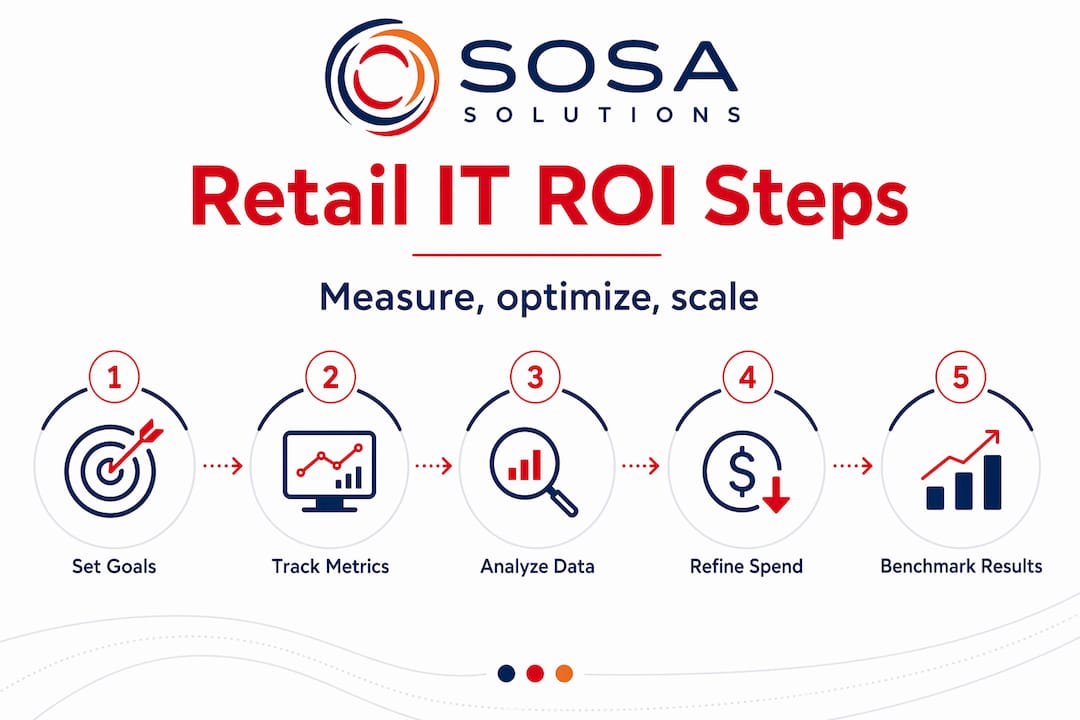
Spending money on IT without measuring results is the fastest way to waste your budget. Every tool you pay for should connect to at least one measurable business outcome. If it does not, it is a candidate for elimination.
Start by setting specific, trackable goals before you go live with any new system. Good examples include: checkout time per transaction under two minutes, inventory accuracy above 98 percent, monthly shrinkage below a set dollar threshold, and system uptime above 99 percent during store hours. These numbers give you a clear baseline to compare against after 30, 60, and 90 days.
Most modern retail software includes built-in dashboards that surface exactly this kind of data. Use them. Set a recurring monthly reminder to review your key metrics, and compare them to the previous month. If a tool is not moving your numbers in the right direction, investigate why before renewing your subscription.
Tiered, transparent pricing from inventory and security solutions makes it easier to see cost versus benefit clearly and plan upgrades without surprises. When pricing is opaque or bundled in ways that are hard to unpack, that is a red flag worth taking seriously.
Signs you are overspending on IT:
You are paying for features in your POS that no one on your team has ever used
You have two or more tools that do the same job and do not connect to each other
Your staff regularly works around a system instead of through it
You are on an enterprise plan designed for a company ten times your size
Your monthly IT costs have grown but your sales metrics have not improved
Look at your IT optimization ideas regularly and benchmark your spend against what similar-sized retailers in New York and Florida are investing. Optimization is not a one-time event. It is a quarterly habit that keeps your budget lean and your systems current.
Why affordable, right-sized IT beats enterprise overkill
Now that you know how to measure and tune your IT, it is worth rethinking what “best” really means for small retail businesses.
We have worked with retailers across New York and Florida who came to us after spending months trying to make enterprise-grade platforms work for a two-register boutique or a family-run hardware store. The pattern is always the same. The software was impressive in the demo. The implementation took three times longer than promised. Half the features were irrelevant. And the monthly bill kept climbing.
The honest truth is that complexity is expensive in ways that do not show up on the invoice. It costs you in staff training time, in troubleshooting hours, in the mental load of managing a system that was built for a company with a dedicated IT department. Some enterprise platforms are genuinely overkill for SMBs, and organizations often get better value by choosing simpler, tiered, transparent pricing models built specifically for businesses at their scale.
The retailers we have seen scale fastest are the ones who started with fit-for-purpose IT solutions that matched their current size, gave them room to grow, and did not require a consultant to operate. They knew their numbers, their staff could use the tools without frustration, and when something broke, it was easy to fix.
Right-sized IT is not settling for less. It is choosing clarity over complexity, and control over features you will never use. For a local retailer competing in markets as demanding as New York City or South Florida, that clarity is a genuine competitive advantage.
Expert retail IT support for NY & FL businesses
Ready to put your affordable IT plan into action? Here is how you can get fast, expert help.
Sosa Solutions works specifically with retail businesses across New York and Florida, from single-location stores in Manhattan to growing multi-location operations in Miami and Orlando. Whether you need a full IT setup for a new store or ongoing support to keep your existing systems running smoothly, the team brings local expertise and retail-specific knowledge to every engagement.

From specialized retail IT support to fully managed IT services that cover monitoring, security, and troubleshooting, the goal is always the same: give you reliable, affordable technology so you can focus on running your store. Learn more about how a customized IT assessment can identify exactly where your budget is working and where it is not.
Frequently asked questions
What are the cheapest IT solutions for a small retail store?
Free or low-cost POS and inventory systems are the most affordable starting point, with Square for Retail’s free plan being a strong option for single-location stores alongside basic security awareness training.
How much should a small retail business budget for IT security?
Budgeting $20 to $50 per employee annually for security awareness training covers your biggest cyber risk and fits comfortably within most small retail budgets.
Do small stores in NY and FL need different IT solutions than other states?
The core tools are the same, but working with vendors and support teams familiar with New York and Florida retail regulations, tax rules, and local compliance requirements helps you configure your systems correctly from the start.
What are the warning signs I’m overspending on IT for my business?
If you are paying for complex features you never use or managing multiple platforms that do not integrate well, those are clear signs your IT spend needs a closer look.
Recommended


Comments