Remote IT Support for Retail: What You Need to Know
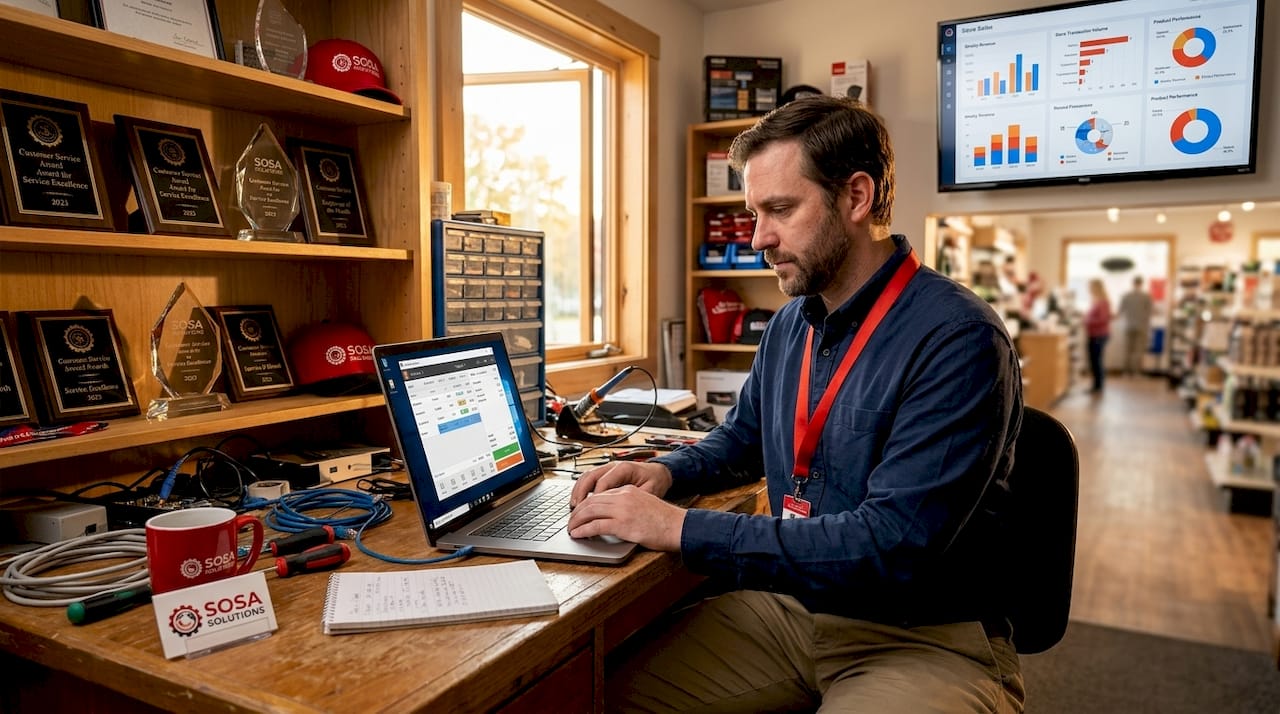
Remote IT support for retail is defined as the practice of diagnosing and resolving technology issues across store systems from a remote location, using secure access tools that eliminate the need for a technician to be physically present. Retail businesses rely on point-of-sale (POS) systems, handheld devices, kiosks, and network infrastructure that cannot afford extended downtime. Tools like Splashtop and BeyondTrust give IT teams the ability to view screens, take control, and install updates on retail devices across multiple locations simultaneously. For store owners and IT managers in high-volume environments, this means faster fixes, lower costs, and fewer disruptions to the customer experience. Understanding what remote IT support retail actually involves, and how to implement it correctly, is the difference between a resilient operation and one that loses revenue every time a register goes down.
What is remote IT support in a retail environment?
Remote IT support in retail operates through two distinct modes: attended and unattended access. Attended support requires a store employee to be present and approve the connection, typically via an invite link sent by the technician. Unattended access, by contrast, allows the IT team to connect to a device at any time without anyone being present at the store. This is particularly useful for after-hours patching, server maintenance, and scheduled updates across a distributed store network.
The technology stack behind a retail remote support session typically includes screen sharing, remote control, file transfer, and live chat, all unified within a single console. Remote support software bundles these capabilities to improve technician efficiency and reduce the back-and-forth that slows resolution times. A technician supporting a chain of ten stores in New York can diagnose a POS software crash, push a configuration fix, and close the ticket without leaving the office.
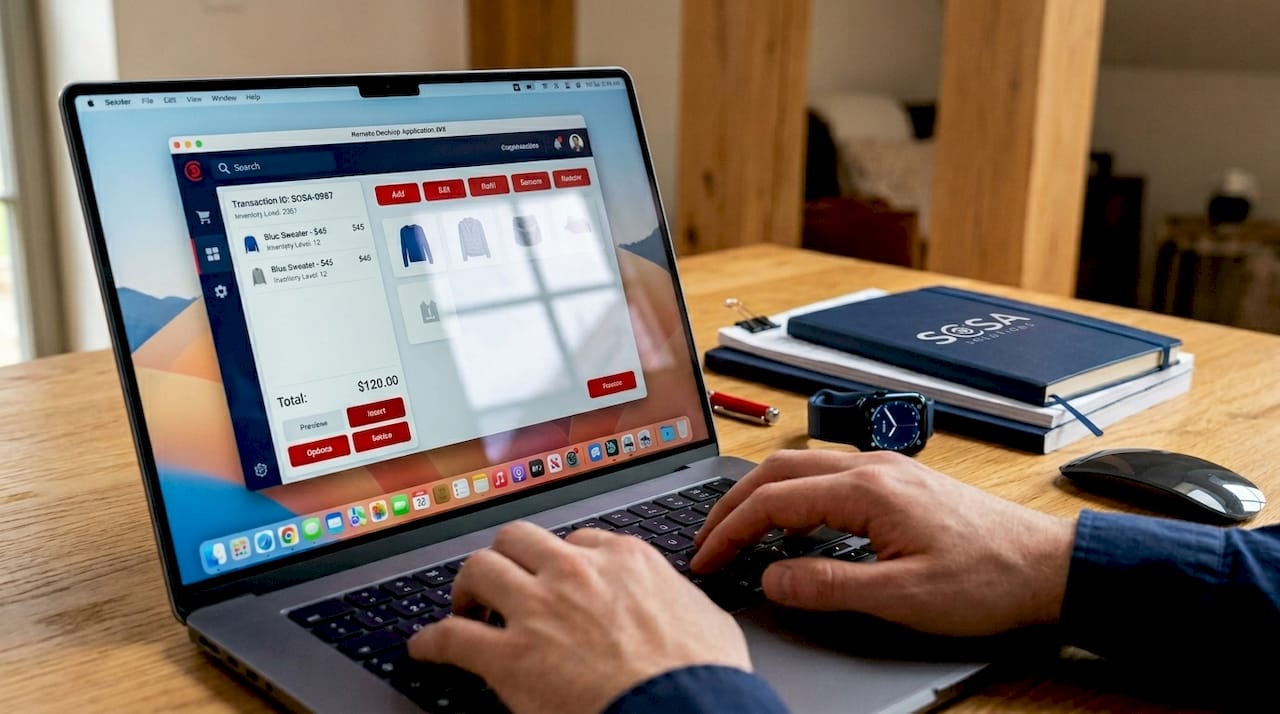
Integration with retail-specific systems is what separates generic remote access from purpose-built retail IT support solutions. Technicians need visibility into POS terminals, payment processing software, inventory management platforms, and the network switches that connect them all. Without that integration, remote troubleshooting becomes guesswork.
Pro Tip: Before deploying any remote support tool, map every device in each store to its IP address and operating system. This baseline inventory cuts average diagnosis time significantly because technicians know exactly what they are connecting to before the session starts.
What are the main benefits of remote IT support for retail businesses?
The most direct benefit of remote IT support is speed. Remote troubleshooting reduces downtime and prevents lost sales during peak hours by allowing technicians to diagnose and fix POS issues in minutes rather than waiting hours for an on-site visit. For a busy Manhattan retailer processing hundreds of transactions per hour, that speed difference is measured in real revenue.
The operational advantages extend well beyond speed:
Reduced travel costs. Eliminating on-site visits for routine fixes cuts the labor and logistics expense that accumulates quickly across multi-store operations.
Minimal in-store disruption. Rapid remote resolution means staff continue working and customers are not affected by visible IT activity on the floor.
Centralized support for distributed stores. One IT team can support locations across New York and Florida from a single operations center, without proportionally scaling headcount.
Proactive maintenance. Unattended access allows scheduled patching and health checks during off-hours, catching problems before they become outages.
Faster onboarding for new locations. Remote configuration of devices during a store opening reduces the time and cost of getting new locations operational.
“A key operational advantage for retailers is reducing in-store disruptions by rapidly addressing issues remotely, which is especially impactful for multi-store operations.” — Splashtop
The cost argument for remote IT services for retail is straightforward. Fewer truck rolls, faster resolution, and proactive maintenance combine to reduce the total cost of IT operations. For small and mid-sized retailers who cannot justify a full-time on-site technician at every location, remote support is the practical alternative that keeps systems running without the overhead.
How to implement remote IT support in a retail operation
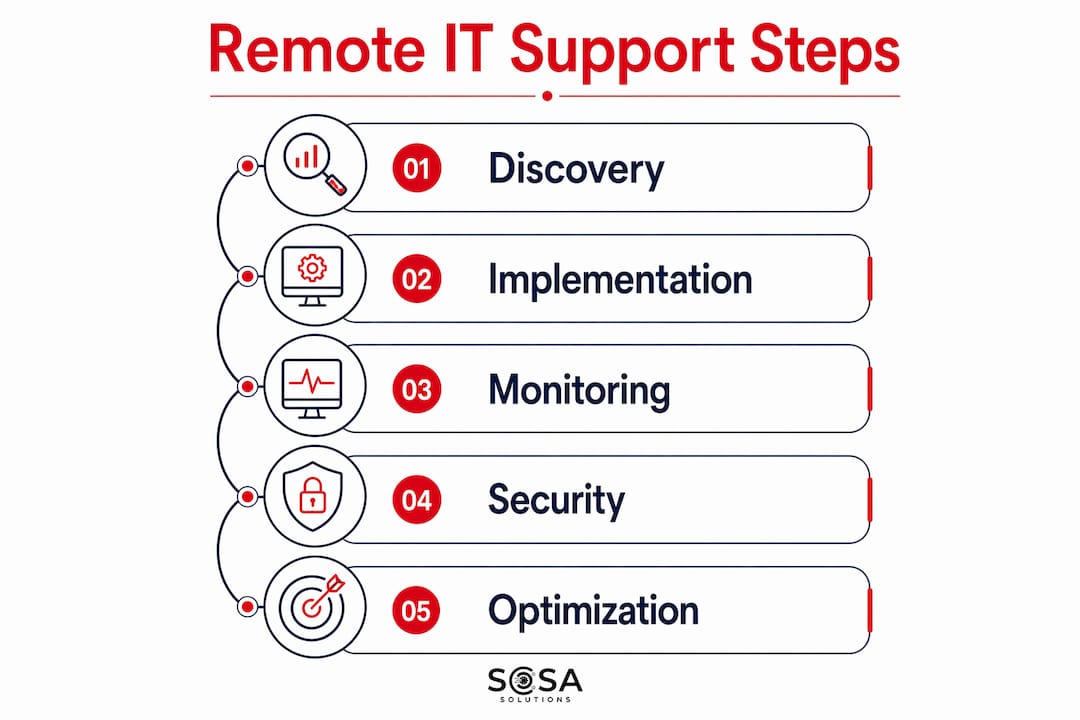
Effective implementation starts with visibility, not software. Before selecting a tool, conduct a full inventory of every device across your stores: POS terminals, handheld scanners, receipt printers, network switches, and routers. This discovery phase is the foundation that mature retail remote support programs build on, combining process, visibility, and integrated technology to avoid guesswork during incidents.
Follow these steps to build a functional remote IT support program:
Inventory and baseline. Document every endpoint, its operating system, firmware version, and network location. Tools like network scanners can automate much of this.
Deploy centralized monitoring. Install monitoring agents on all devices and network sensors at each store location. This gives your IT team real-time visibility into device health and network performance.
Select your remote support platform. Choose a platform that supports both attended and unattended access, session recording, and role-based permissions. BeyondTrust and Splashtop are two widely used options in retail environments.
Define workflows and escalation paths. Document exactly how a support request moves from a store employee to a technician, and when an issue escalates from remote to on-site. Clear workflows prevent delays and confusion during incidents.
Implement security controls. Configure least-privilege access so technicians can only reach the systems relevant to their role. Enable multi-factor authentication (MFA) and session logging on every remote connection.
Train store staff. Employees need to know how to initiate a support session, what to expect during attended access, and who to contact when issues arise. A five-minute onboarding video per store reduces friction significantly.
Integrate with your ITSM platform. Connecting your remote support tool to a service management system like ServiceNow or Jira Service Management creates a complete audit trail and enables performance reporting.
Implementation phase | Key action |
Discovery | Full device and network inventory across all store locations |
Monitoring setup | Deploy endpoint agents and network sensors at each site |
Tool selection | Choose a platform with attended, unattended, and session recording |
Security configuration | Enable MFA, least-privilege access, and audit logging |
Staff training | Brief store employees on initiating and participating in support sessions |
Pro Tip: Deploy network sensors at the store router level, not just on endpoints. Without network-layer visibility, remote troubleshooting stalls because it is unclear whether a failure is at the device, the local LAN, or the upstream WAN connection.
What are the challenges and security considerations in remote IT support?
The most common implementation failure in retail remote IT support is insufficient network visibility. Without Wi-Fi, WAN, and cloud path monitoring, technicians cannot determine whether a problem originates at the device, the store network, or the internet connection. This ambiguity turns a five-minute fix into a 45-minute troubleshooting session.
Security is the second major challenge, and it deserves direct attention:
Unattended access risk. Permanent remote access to store devices is a significant attack surface if credentials are compromised. MFA and role-based permissions are non-negotiable controls.
Session logging gaps. Without complete audit trails, there is no way to investigate unauthorized access or verify that technicians followed approved procedures. BeyondTrust Remote Support addresses this with session recording and forensic audit capabilities.
Overly broad access. Granting technicians full administrative access to every store system violates the principle of least privilege and increases the blast radius of any security incident.
Staff resistance. Store employees who do not understand remote support may refuse sessions, delay approvals, or inadvertently expose credentials. Training and clear communication resolve most of this friction.
Compliance requirements. Retailers handling payment card data must align remote access practices with PCI DSS requirements, including encrypted connections and access logging.
The security controls that work in practice are encryption for all remote sessions, MFA for every technician account, role-based access and session audit trails, and regular access reviews to remove permissions that are no longer needed. These are not optional hardening measures. They are the baseline for any retail environment handling customer payment data.
How does remote IT support compare with on-site support in retail?
Remote support resolves the majority of retail IT issues faster than on-site visits, particularly for software faults, configuration errors, and network connectivity problems. On-site support remains necessary for hardware failures, physical cabling issues, and complex infrastructure changes that require hands-on work. Understanding which model fits which situation is what separates efficient IT operations from reactive ones. You can find a detailed breakdown of the on-site model in this retail owner’s guide to on-site IT support.
Support type | Strengths | Limitations |
Remote IT support | Fast resolution, lower cost, multi-store scalability | Cannot replace hardware or fix physical cabling |
On-site IT support | Handles hardware, complex networking, physical installs | Slower response, higher cost, single-location focus |
Hybrid model | Combines speed of remote with capability of on-site | Requires coordination and clear escalation protocols |
Most mature retail IT operations use a hybrid model. Remote support handles the high-volume, lower-complexity tickets that make up the bulk of daily incidents. On-site technicians are dispatched for physical repairs, new store setups, and infrastructure upgrades. This split keeps costs down while maintaining the capability to handle anything the store throws at the IT team. For a broader view of retail IT support options, including managed services and break-fix models, the decision depends on store count, ticket volume, and internal IT capacity.
Key takeaways
Remote IT support for retail works because it combines secure remote access technology, end-to-end network visibility, and defined support workflows to resolve store technology issues faster and at lower cost than on-site visits alone.
Point | Details |
Definition is specific | Remote IT support uses secure tools to fix POS, network, and device issues without a technician on-site. |
Two access modes matter | Attended mode requires user approval; unattended mode enables after-hours patching and maintenance. |
Visibility prevents failure | Network sensor deployment at the store level is required to avoid guesswork during remote troubleshooting. |
Security is non-negotiable | MFA, least-privilege access, and session logging are baseline requirements for any retail remote support program. |
Hybrid models win | Combining remote and on-site support delivers the best balance of speed, cost, and capability for retail operations. |
Why remote IT support is the infrastructure decision most retailers delay too long
I have worked with retail clients across New York and Florida who treated IT support as a reactive cost rather than an operational system. The pattern is consistent: a POS goes down during a Saturday rush, a technician drives two hours to reboot a service that could have been fixed remotely in four minutes, and the owner asks why this keeps happening. The answer is always the same. They built their store operations without building the IT infrastructure to support them.
What I have seen work is treating remote IT support as an integrated system, not a software purchase. The tool matters less than the combination of device inventory, network visibility, defined workflows, and trained staff. A retailer running Splashtop with no network monitoring and no escalation process will have a worse experience than one running a simpler tool with complete visibility and a clear playbook.
The security concern I hear most often is about unattended access. Owners worry that giving IT teams permanent remote access to store devices creates risk. That concern is valid, but the answer is not to avoid unattended access. The answer is to implement it correctly, with MFA, role-based permissions, and session logging. The risk of a compromised credential is far smaller than the risk of a two-hour outage during peak trading hours.
My advice to any retail decision-maker reading this: start with your device inventory, deploy monitoring before you deploy remote access tools, and define your escalation paths before the first incident. The retailers who do this in advance resolve issues in minutes. The ones who skip it spend those minutes figuring out where the problem even is.
— Christopher
How Sosasolutionsnyc supports retail businesses with remote IT
Sosasolutionsnyc delivers retail IT support built specifically for store owners and IT managers in New York and Florida. Their remote IT services for retail cover POS troubleshooting, network monitoring, device management, and proactive maintenance across single and multi-store operations. For retailers who need a managed approach, Sosasolutionsnyc’s managed IT services include centralized monitoring, security controls, and a dedicated support team that resolves issues before they affect the store floor. Whether you are opening a new location or stabilizing an existing operation, Sosasolutionsnyc brings the process, visibility, and expertise that retail IT support requires.
FAQ
What is remote IT support for retail stores?
Remote IT support for retail is the practice of diagnosing and resolving store technology issues, including POS systems, network devices, and handheld scanners, from a remote location using secure access tools. It eliminates the need for a technician to be physically present for the majority of common software and configuration issues.
How does remote IT support work for POS systems?
A technician connects to the POS terminal using remote desktop software in either attended or unattended mode, then views the screen, takes control, and applies fixes such as software updates or configuration changes. Quick remote diagnosis prevents extended outages during peak trading hours.
Is remote IT support secure for retail environments?
Remote IT support is secure when implemented with MFA, least-privilege access controls, encrypted connections, and full session logging. Enterprise-grade platforms like BeyondTrust include audit trails and forensic capabilities that meet retail compliance requirements including PCI DSS.
When is on-site IT support still necessary for retail?
On-site support is required for hardware replacements, physical cabling work, and complex network infrastructure changes that cannot be performed remotely. Most retailers use a hybrid model where remote support handles daily incidents and on-site technicians are dispatched for physical work.
What should retailers look for in a remote IT support provider?
Look for a provider with experience in retail-specific systems like POS and inventory platforms, coverage in your store locations, and a defined process for both remote and on-site escalation. Reviewing how to select IT service providers for retail gives decision-makers a practical framework for evaluating options.
Recommended


Comments