What is on-site IT support? A retail owner's guide
Updated: Aug 7
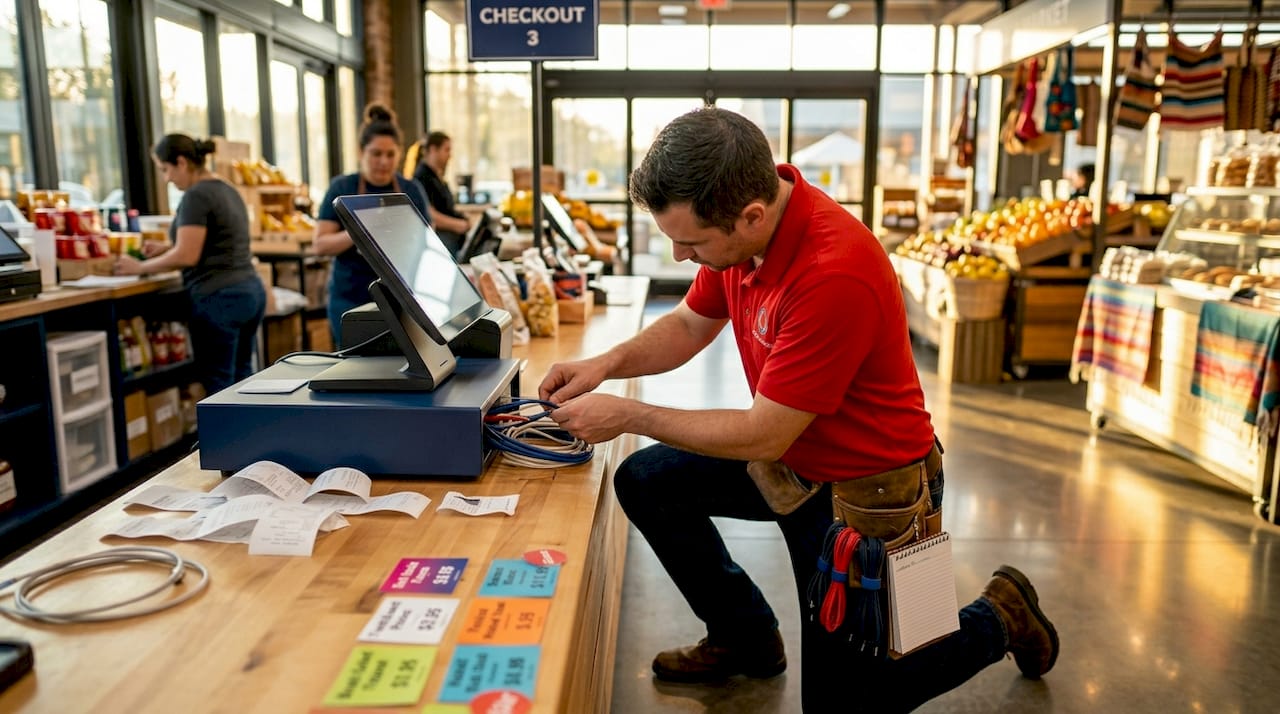
Remote IT support can handle a lot. But the moment your POS system goes dark during a Saturday rush, or your new store’s network refuses to connect on opening day, you learn fast what on-site IT support is and why it cannot be replaced by a phone call. On-site IT support means a trained technician physically arrives at your location to diagnose and fix problems in person. For retail businesses in New York and Florida, where store openings are high-stakes and daily operations leave zero room for prolonged downtime, understanding this distinction is not optional. It is operational survival.
Table of Contents
What is on-site IT support and why does it matter in retail?
On-site vs. remote IT support: what’s the right mix for retail operations?
Implementing on-site IT support during retail store openings and daily operations
Why operational fit matters more than just features in choosing on-site IT support
How Sosa Solutions can enhance your retail IT with expert on-site support
Key Takeaways
Point | Details |
Definition | On-site IT support means having technicians physically present at your retail location for direct technical assistance. |
Critical benefits | On-site support ensures faster problem resolution, reduces downtime, and handles issues remote support cannot fix. |
Blended approach | Combining on-site with remote IT support optimizes costs and operational efficiency for retail businesses. |
Operational fit | Choosing a provider that aligns with your retail operations and integrates with your IT ecosystem is more important than just features. |
Implementation | Effective on-site support during store openings and daily operations requires planning, coordination, and integration with managed services. |
What is on-site IT support and why does it matter in retail?
Onsite IT services are hands-on, in-person technical assistance at a business location, essential for physical maintenance and troubleshooting that cannot be done remotely. That definition sounds simple, but the implications for retail are significant.
Remote support works by connecting to your devices over the internet. It is fast, cost-effective, and excellent for software issues, user account problems, and configuration changes. But it cannot see that a cable is unplugged behind your register. It cannot physically swap a failing hard drive in your back-office server. It cannot verify whether your new security camera is wired correctly to your network switch. That is where on-site technical assistance takes over.
Retail environments run on specialized hardware. POS terminals, barcode scanners, receipt printers, network switches, digital signage, and physical access control systems all require hands-on attention at some point. The retail IT support advantages become clearest when you realize that most of the equipment keeping your store running cannot be fixed through a screen.
Common retail scenarios that require on-site IT support:
Network outages where the router, switch, or cabling is the root cause
New device rollouts across one or multiple store locations
POS system installation, replacement, or reconfiguration
Security hardware setup including cameras, access control, and alarm integrations
Physical server maintenance, backup drive replacement, or hardware upgrades
Wi-Fi dead zones caused by access point placement or interference
Opening day infrastructure setup under tight time constraints
Each of these scenarios shares one trait: a remote technician simply cannot resolve them without eyes and hands on the physical equipment.
Key benefits of on-site IT support for retail businesses
With a clear understanding of what on-site IT support means, let’s look at the tangible advantages it delivers to retail businesses day to day.
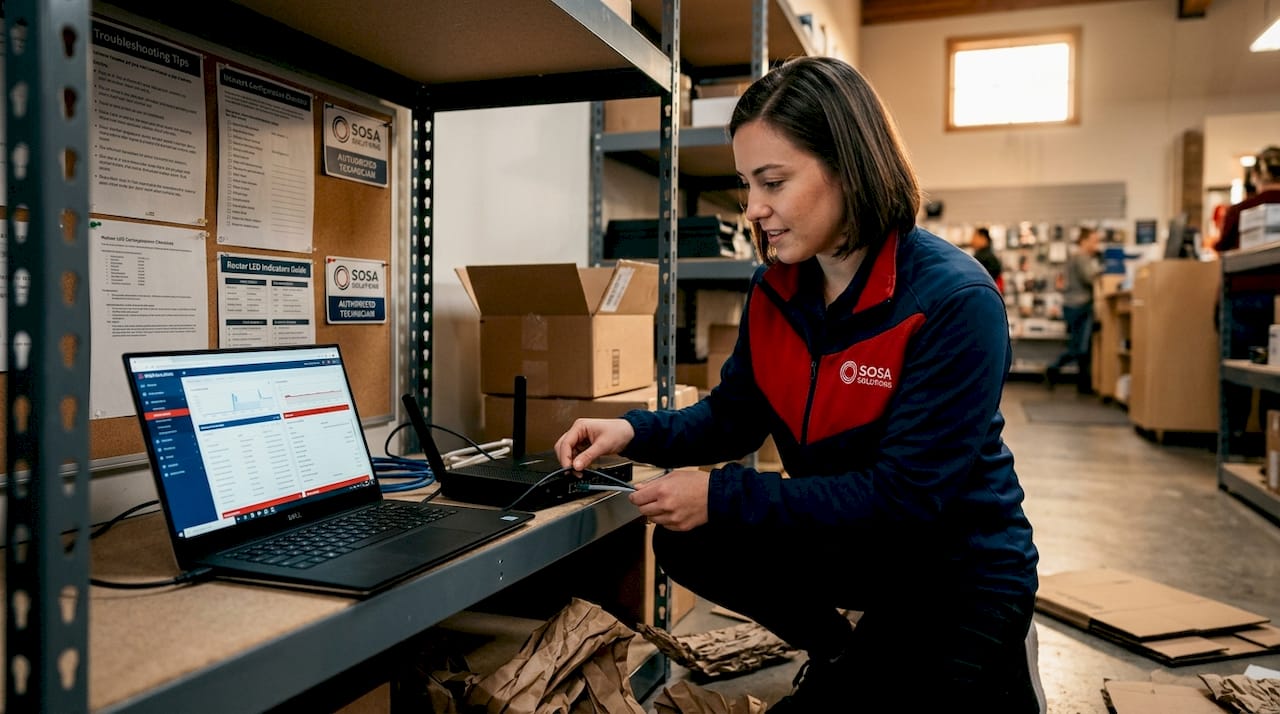
The most immediate benefit is speed of resolution. When a technician is physically present, they are not relying on your staff to describe what they see on screen or guess at error codes. Onsite technicians reduce repeated tickets and mean time to repair because they can physically inspect issues directly. That matters enormously during peak hours when every minute of downtime translates to lost sales.
Downtime during critical retail moments is not just inconvenient. It is expensive. A POS system failure during a holiday sale event, a network outage during a product launch, or a broken digital display during a promotional campaign all carry real revenue consequences. On-site support cuts through the back-and-forth diagnostic process that remote support often requires.
There is also a subtler benefit that gets overlooked. On-site support bridges the gap between monitoring tools and real user experiences in retail environments. Your remote monitoring software might show everything is green while your cashiers are experiencing checkout slowdowns caused by a loose network cable. Only someone physically present catches that.
Employee productivity also improves. When staff know that a technician can show up and fix a problem rather than walk them through a 45-minute phone troubleshooting session, they stay focused on customers instead of IT issues.
Benefits of on-site IT support for retail businesses:
Faster diagnosis without relying on non-technical staff descriptions
Hands-on hardware repair and replacement with no shipping delays
Physical network inspection and cabling verification
Real-time staff training during device rollouts or system upgrades
Immediate escalation path when remote support reaches its limits
Pro Tip: Schedule on-site preventive maintenance visits aligned with your retail seasonal calendar. A technician visit before Black Friday or a major product launch catches hardware wear and network bottlenecks before they become opening-day emergencies.
On-site vs. remote IT support: what’s the right mix for retail operations?
After exploring the benefits, the real question is not which model is better. It is how to combine them effectively.
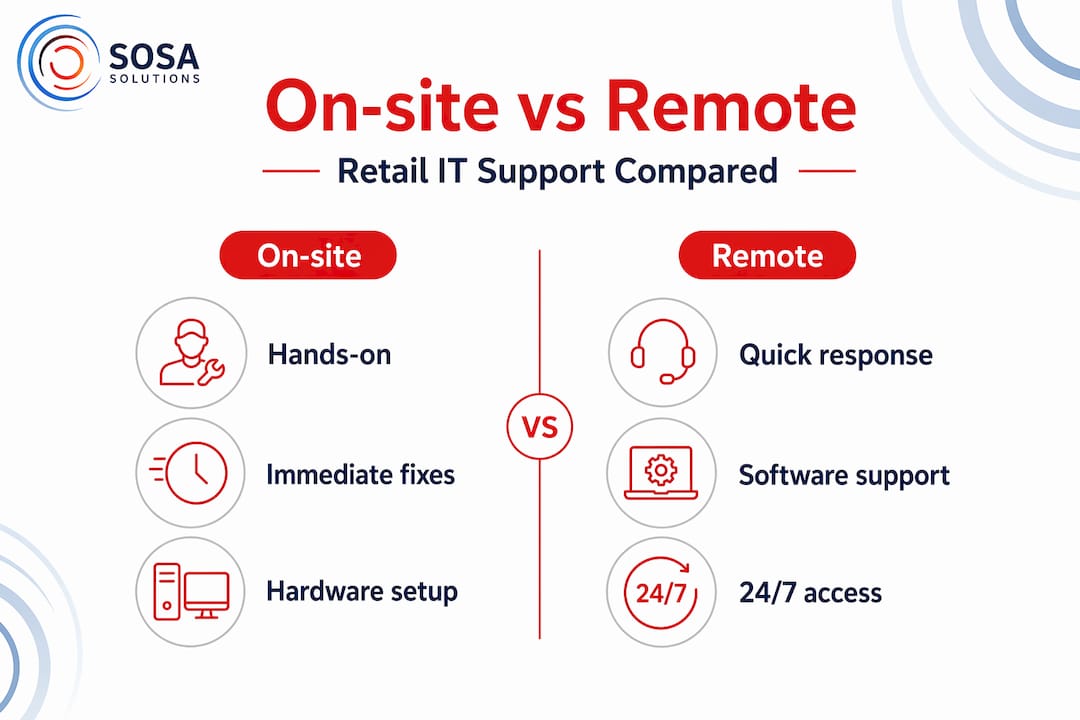
A blended support model combining on-site escalation and remote monitoring offers balance between cost and reliability. Remote support handles the high-volume, lower-complexity tickets. On-site kicks in when physical presence is the only path to resolution. The key is building a clear escalation workflow so your team is not wasting time on remote attempts for problems that obviously need hands-on attention.
Evaluating onsite support requires understanding dispatch models, SLA enforcement, and integration with remote help desk teams. Some providers offer dedicated technicians assigned to your account. Others use a shared pool dispatched as needed. For multi-location retail operations, the dispatch model directly affects how quickly someone arrives at your store in Miami versus your store in Manhattan.
Factor | On-site IT support | Remote IT support |
Response time | Varies by dispatch model | Typically faster for initial contact |
Issue types | Hardware, cabling, physical infrastructure | Software, configuration, user access |
Cost | Higher per incident | Lower per incident |
Retail fit | Essential for POS, network, security hardware | Strong for day-to-day software issues |
Downtime reduction | High for physical failures | High for software-based issues |
Multi-site coverage | Requires regional technician network | Location-independent |
The managed IT services with onsite support model solves the coverage problem for retailers with multiple locations by combining centralized remote monitoring with a dispatch network that can reach any site.
Key factors to evaluate when choosing an on-site IT vendor:
Average response time and dispatch radius for your store locations
Direct experience with retail-specific hardware and POS systems
Integration with your existing remote help desk or ticketing system
Ability to scale coverage as you open new locations
Documented escalation procedures and SLA commitments
Pro Tip: Before signing with any on-site IT provider, ask them to walk you through exactly how a ticket escalates from remote to on-site. If they cannot describe that process clearly, it will be unclear in practice too.
Implementing on-site IT support during retail store openings and daily operations
Having determined the right blend and benefits, here are practical steps to put on-site IT support to work in your retail environment, starting from day one.
On-site support is critical during store openings to handle hardware setup, network configuration, and troubleshooting under tight deadlines. A store opening is not the time to discover that your IT provider’s technician is three hours away or unfamiliar with your POS platform.
Steps to integrate on-site IT support for a retail store opening:
Pre-opening planning call. Align your IT provider with your store layout, hardware list, and opening date at least four to six weeks out.
Site survey. Have a technician visit the physical location to assess network infrastructure, power availability, and cabling needs before equipment arrives.
Hardware staging. Configure and test all devices including POS terminals, printers, and network equipment at a staging location before delivery.
On-site installation day. Technician is present for full hardware installation, network setup, and connectivity testing across all systems.
Staff training walkthrough. On-site technician walks staff through basic troubleshooting steps and escalation contacts before going live.
Go-live monitoring. Technician remains on-site or on standby during the first trading hours to catch any issues in real time.
Post-opening review. Schedule a follow-up visit within the first two weeks to address any unresolved issues and confirm system stability.
For ongoing daily operations, the approach shifts from deployment to maintenance. Integration of on-site IT support with cybersecurity and backup planning reduces risks and disruption in retail environments. That means your on-site provider should not just fix things when they break. They should be part of your backup testing schedule, your security camera audit cycle, and your hardware refresh planning.
Support task | Store opening phase | Daily operations phase |
Network setup and cabling | Primary focus | Periodic review |
POS installation and testing | Required on-site | On-site for replacements |
Security hardware configuration | On-site installation | Scheduled audits |
Backup and recovery testing | Initial setup | Quarterly on-site testing |
Staff IT training | Opening day | As needed for new hires |
Hardware maintenance | Pre-opening staging | Preventive visits |
Explore retail IT support services designed specifically for these deployment and ongoing support needs.
Pro Tip: Schedule a dedicated on-site IT review session two weeks after your store opens. Opening-day adrenaline masks problems. Two weeks in, your team has found the friction points, and a technician visit at that moment catches issues before they become habits.
Why operational fit matters more than just features in choosing on-site IT support
Here is the uncomfortable truth about how most retail IT managers select on-site support providers. They compare feature lists and hourly rates. They check whether the provider offers 24/7 dispatch and whether they support their POS platform. Then they sign a contract and discover that the provider’s ticketing system does not connect to their internal tools, their escalation process adds two hours of delay, and their technicians have never worked in a retail environment before.
Features are table stakes. Operational fit is what determines whether your IT support actually works.
“Operational fit often matters more than feature checklists when choosing onsite assistance providers.” — TMC Insight
What does operational fit mean in practice? It means your provider’s dispatch model matches your store hours. It means their technicians understand that a retail floor is not a corporate office. It means their escalation process connects to your existing managed IT services integration without creating a separate silo of tickets and communication.
Buyer preferences tilt toward providers who integrate on-site support with managed services and operational workflows. That preference exists because the alternative is painful. Two support systems that do not talk to each other mean problems fall through the cracks, and your staff ends up as the communication bridge between your remote help desk and your on-site technician.
The retailers who get the most value from on-site IT support treat their provider as a long-term operational partner, not a break-fix vendor. That means sharing your seasonal calendar with them. It means briefing them on upcoming product launches or store remodels. It means building a relationship where they understand your systems well enough to catch problems before you report them. That level of integration does not show up on a feature comparison sheet. It only comes from choosing a provider who has built their practice around retail operations and who invests in understanding your specific environment.
How Sosa Solutions can enhance your retail IT with expert on-site support
With a clear understanding of on-site IT support’s value, the next step is finding a partner who delivers it without the operational gaps described above.

Sosa Solutions provides retail IT support services built specifically for small to medium-sized retail businesses across New York and Florida. From pre-opening site surveys and hardware staging to ongoing preventive maintenance and rapid dispatch, the team operates as an extension of your internal IT function rather than an outside vendor. Every engagement is built around your store’s operational rhythm, your hardware environment, and your escalation requirements. The managed IT services platform ties remote monitoring directly to on-site dispatch, so issues get resolved at the right level without unnecessary delays. If you are planning a store opening or need to close the gap in your current IT coverage, reach out to Sosa Solutions early in your planning process to align IT deployment with your business timeline.
Frequently asked questions
What tasks typically require on-site IT support in a retail environment?
On-site IT support in retail typically handles hardware repairs, network configurations, POS system setup, and issues that cannot be resolved remotely such as physical connectivity problems. Some tasks simply cannot be done remotely, such as setting up physical equipment or complex network configurations.
How does on-site IT support improve response times compared to remote support?
By having technicians physically present, on-site IT support can quickly diagnose and fix problems without relying solely on user descriptions, reducing downtime and repeated service tickets. Onsite technicians reduce repeated tickets and mean time to repair because they can physically inspect issues directly.
Is on-site IT support always necessary for retail businesses?
While remote support handles many issues efficiently, on-site support remains essential for physical hardware maintenance, complex network tasks, and ensuring smooth daily retail operations. On-site IT support plays an important role when problems involve network hardware, connectivity, or other hands-on infrastructure in retail.
How should retail businesses choose an on-site IT support provider?
They should evaluate providers based on operational fit, response models, experience with retail environments, and integration with managed IT services rather than solely on price or features. Buyers should evaluate onsite options using response models, industry expertise, integration with managed services, and flexibility for multi-site networks.
Recommended


Comments