Retail Expansion Connectivity Best Practices: 2026 Guide
- Sosa Solutions NYC
- Jul 14
- 8 min read
Updated: Aug 7

Retail expansion connectivity best practices are defined as the standardized, security-first network strategies that allow retailers to open new locations without sacrificing speed, compliance, or customer experience. Every store you open is a network deployment. Get the infrastructure wrong and you pay for it in failed POS transactions, compliance gaps, and IT teams burning hours on problems that should never exist. The practices in this guide cover cabling standards, wireless deployment, Zero Trust security, AI readiness, and situational fit, giving retail executives and IT managers a clear framework for scaling without chaos.
1. What are the best retail expansion connectivity best practices for standardized network architecture?
Standardized network architecture is the single most important decision you make before opening store number two. Treating every new store like a special case multiplies complexity and makes centralized management nearly impossible. The fix is a documented template that every location follows, regardless of size or market.
The cabling standard that works across multi-site retail chains is 12–24 Cat6 drops per location, with a dedicated, color-coded pathway reserved exclusively for POS systems. That separation simplifies PCI DSS assessments because auditors can trace POS traffic without digging through mixed-use runs. Plan 4–6 spare drops per store to accommodate kiosks, digital signage, and devices you have not bought yet.
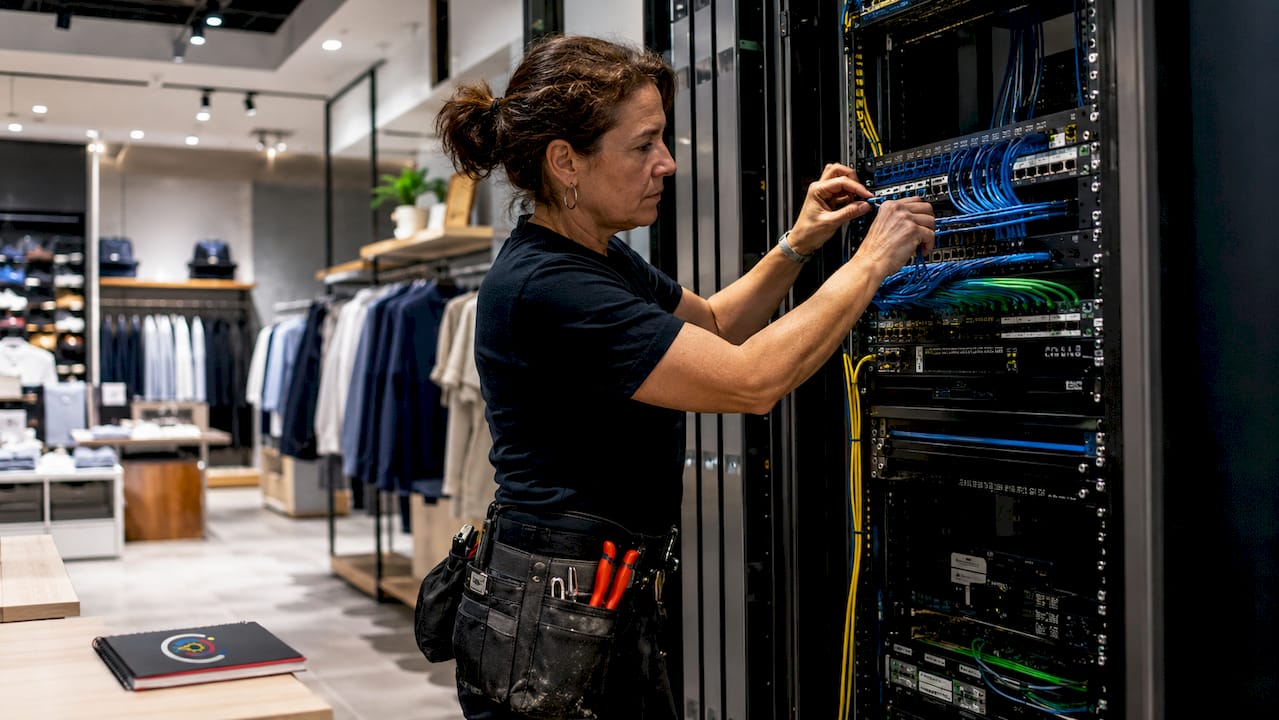
Physical security matters as much as logical security. PCI DSS requires that network equipment sit in locked closets, and POS cable runs use conduit to prevent tampering. Retailers who skip this step during a fast expansion often face costly remediation when their first audit hits.
The back-office rack layout deserves the same discipline. A consistent 8U–12U wall-mount layout with identical equipment positions and labeling across every store cuts troubleshooting time dramatically. When a technician walks into store 47 for the first time, the rack should look exactly like store 12.
Pro Tip: Create a one-page network diagram template for each store format. Laminate it and mount it inside every network closet. Field technicians and remote support teams both benefit from having the same reference point.
2. How does Fixed Wireless Access speed up retail expansion?
Fixed-line ISP deployments cause the most common delay in new store openings. Trenching, permits, and ISP lead times can push a launch back by weeks. Fixed Wireless Access (FWA) solves this by delivering Day 1 connectivity with no civil works required.
FWA is particularly well suited to pop-up stores and seasonal locations where the connectivity lifespan needs to match the store’s operating period. A fixed fiber contract that outlasts a three-month holiday pop-up is a waste of capital. FWA scales up and down with your actual footprint.
Reliability is the legitimate concern with wireless-only connectivity. The answer is multi-network SIM technology that switches carriers automatically when one network degrades. That automatic failover protects POS transactions from single-carrier outages, which are the most damaging connectivity failures a retailer can experience.
For permanent locations, FWA works best as an automatic failover layer behind a fixed-line primary connection. That configuration gives you high availability without the cost of two full fixed-line contracts.
Pro Tip: When evaluating FWA providers, ask specifically about multi-network SIM support and automatic carrier switching. A single-carrier wireless solution carries the same risk as a single fixed line.
3. What security practices protect a growing retail network?
Embedding Zero Trust security from the first device onboarded is the only approach that scales. Over 90% of breaches involve preventable gaps, and those gaps almost always appear when security is bolted on after the network is already running. Zero Trust means every device, user, and traffic flow is verified before it gets access, regardless of physical location.
Network segmentation is the operational expression of Zero Trust in a retail environment. POS traffic, guest Wi-Fi, and back-office systems must run on separate network segments. That separation protects cardholder data under PCI DSS and prevents a compromised guest device from reaching payment infrastructure.
Centralized policy enforcement is what makes segmentation manageable across dozens or hundreds of stores. When every location runs the same network template, you push a policy change once and it applies everywhere. Without that consistency, each store becomes its own security problem.
Proactive network readiness assessments before each expansion are the operational discipline that separates retailers who scale successfully from those who do not. Failing to audit network readiness against projected device load is the primary constraint on scaling connected stores.
Pro Tip: Run a network readiness checklist 60 days before each store opening. Include bandwidth projections, device counts, segmentation verification, and PCI DSS physical security checks. Sixty days gives you time to fix problems before they become launch delays.
4. How should retailers prepare networks for AI and edge computing?
Retail store networks are becoming the infrastructure layer for AI workloads, real-time analytics, and operational automation. That shift changes the requirements significantly. Only 39% of retailers are satisfied with their edge computing support today. That gap will widen as AI adoption accelerates.
Edge computing reduces latency by processing data close to where it is generated, inside the store rather than in a distant cloud data center. Inventory cameras, smart checkout systems, and foot traffic analytics all benefit from local processing. The network must support that edge placement with sufficient bandwidth and low latency connections between edge nodes and store systems.
5G and SD-WAN are the two technologies that make distributed AI workloads manageable. 5G and SD-WAN deliver flexibility, resilience, and policy-based traffic management across distributed environments. SD-WAN lets you prioritize critical POS and AI traffic over less time-sensitive data without manual intervention at each site.
The planning mistake most retailers make is sizing network capacity for current load rather than projected load. AI and IoT device counts grow faster than most IT roadmaps anticipate. Build in headroom now or plan to re-cable stores within two years.
Technology | Primary benefit | Best use case |
SD-WAN | Policy-based traffic prioritization | Multi-site AI and POS traffic management |
5G | High bandwidth, low latency wireless | Edge computing and real-time analytics |
Edge computing | Local data processing | Inventory cameras, smart checkout, analytics |
FWA | Rapid deployment, no civil works | Pop-ups, seasonal stores, failover |
5. Which connectivity approach fits each store type?
Different store formats carry different network requirements. A flagship store in Manhattan needs fiber primary with wireless failover, full edge computing capacity, and enough bandwidth for digital signage, AI-driven inventory, and high-volume POS. A seasonal pop-up in a Florida mall needs FWA, a multi-network SIM, and a simple flat network that can be deployed and decommissioned in hours.
The retail IT infrastructure guide for 2026 framework maps store format to network tier. Flagship and high-volume stores sit at Tier 1: fiber primary, SD-WAN overlay, full segmentation, and edge nodes. Mid-size stores sit at Tier 2: fiber or cable primary with FWA failover and standard segmentation. Pop-ups and seasonal locations sit at Tier 3: FWA primary with multi-network SIM and simplified architecture.
Centralized management is what makes a mixed fleet of store types operationally viable. When you manage multi-site retail IT through a single pane of glass, you apply consistent policies across all tiers without maintaining separate management systems for each format.
Pro Tip: Document the network tier for each store in your asset management system. When a store changes format, for example a pop-up that converts to permanent, trigger a network upgrade review automatically rather than waiting for performance complaints.
6. How to build a unified platform instead of isolated point solutions
Retailers who add isolated point solutions for each new problem end up with networks that are expensive to manage and impossible to audit. Shifting to a unified intelligent platform is what delivers strong ROI at scale. That means one network management system, one security policy engine, and one monitoring dashboard across all locations.
The practical path to unification starts with the network template. Every store that opens on the same template is already partially unified. Add centralized management software and you gain visibility across the entire fleet from day one. The standardization principle is clear: complexity multiplies problems without it, and standardization is the foundation for manageable scaling in retail IT.
Monitoring must be proactive, not reactive. Waiting for a store to report a connectivity problem means customers already experienced it. Set threshold alerts for bandwidth utilization, latency, and device counts so your IT team sees problems before they affect operations.
Key Takeaways
Retail expansion connectivity best practices require standardized architecture, Zero Trust security, and wireless flexibility to scale without operational failure.
Point | Details |
Standardize cabling templates | Use 12–24 Cat6 drops with dedicated POS pathways across every store to simplify PCI audits. |
Deploy FWA for speed | Fixed Wireless Access delivers Day 1 connectivity for pop-ups and seasonal stores without civil works delays. |
Embed Zero Trust from day one | Security designed into the architecture prevents the preventable gaps that cause over 90% of breaches. |
Prepare for AI workloads | Only 39% of retailers are satisfied with edge support; size network capacity for future AI and IoT load, not current load. |
Centralize management | A unified platform with consistent templates reduces management overhead and accelerates troubleshooting across all store types. |
What I have learned from watching retail networks fail at scale
The pattern I see most often is retailers who nail their first five stores and then hit a wall at store ten. The early stores were built with care. Someone made deliberate decisions about cabling, rack layout, and segmentation. By store ten, the team is moving fast, the template is being “adapted” for each site, and the centralized management system has three stores that do not quite match the others. That is where the trouble starts.
The uncomfortable truth about retail network expansion is that speed and standardization feel like opposites but are actually the same thing. The retailers who open stores fastest are the ones with the tightest templates. When every decision is already made, deployment is execution, not problem-solving. The teams that customize each store in the name of flexibility are the ones who spend the most time on retail IT troubleshooting after the fact.
I also think the industry underestimates how much the AI conversation changes network planning timelines. Most retailers I talk to are planning their network for what they need today. The Verizon Connected Retail Experience Study makes it clear that edge computing demand is already outpacing infrastructure readiness. If you are opening stores now, you are building the network that will need to run AI workloads in 18 months. Plan for that now or pay to re-do it later.
The IT team’s role in retail expansion has shifted. Network connectivity is no longer a utility that gets provisioned and forgotten. It is the operational foundation for every revenue-generating system in the store. Treat it that way from the first planning meeting.
— Christopher
Sosasolutionsnyc supports your retail network from day one
Retail executives and IT managers in New York and Florida work with Sosasolutionsnyc to get network infrastructure right before the first customer walks through the door. Sosasolutionsnyc specializes in managed IT and store opening support built specifically for retail environments, from standardized cabling and rack deployment to PCI DSS-ready segmentation and ongoing monitoring.

Whether you are opening a flagship location in Manhattan or a seasonal pop-up in Florida, Sosasolutionsnyc delivers the store opening IT solutions that keep your launch on schedule and your network performing from day one. For retailers managing a growing fleet of locations, managed IT services provide centralized oversight, proactive monitoring, and the consistent templates that make scaling predictable rather than painful.
FAQ
What is the standard cabling template for retail store networks?
The industry standard is 12–24 Cat6 drops per location with a dedicated, color-coded pathway for POS systems. Plan 4–6 spare drops per store to support future devices like kiosks and digital signage.
How does Fixed Wireless Access help with retail expansion?
FWA delivers Day 1 connectivity without trenching or ISP lead times, making it ideal for pop-up and seasonal stores. Multi-network SIM technology adds automatic carrier failover to protect POS transactions from single-carrier outages.
What does Zero Trust security mean for a retail network?
Zero Trust means every device and traffic flow is verified before receiving network access, regardless of physical location. Embedding this approach from the first device prevents the preventable gaps responsible for the majority of retail network breaches.
How should retailers plan networks for AI and edge computing?
Size network capacity for projected AI and IoT load, not current device counts. Technologies like 5G and SD-WAN provide the bandwidth, low latency, and policy-based traffic management that AI-driven retail operations require.
When should a retailer use fiber versus wireless connectivity?
Flagship and high-volume stores should use fiber as the primary connection with FWA as automatic failover. Pop-up and seasonal locations should use FWA as the primary connection, supported by multi-network SIM technology for reliability.
Recommended
Comments