IT Support Contracts for Retail Stores: 2026 Guide
- Sosa Solutions NYC
- Jun 9
- 8 min read

An IT support contract for retail stores is a formal, tiered service agreement that delivers structured technical assistance, including help desk support, field services, and proactive monitoring, to keep store technology running without interruption. In the retail context, the industry standard term is a managed IT services agreement, though most owners and IT decision-makers search for it as an IT support contract. Both terms describe the same core commitment: a provider takes responsibility for your technology so you can focus on selling. This guide covers what these contracts include, how to choose the right one, and how to manage it for maximum return across single or multi-location retail operations.
What an IT support contract for retail stores actually covers
A retail IT support contract is not a generic break-fix arrangement. Tiered help desk structures define how tickets are routed: Level 1 handles password resets and basic connectivity, Level 2 addresses POS software errors and network faults, and Level 3 escalates to engineers for infrastructure or security incidents. This layered escalation model means your store staff stops wasting time on repeat troubleshooting calls.
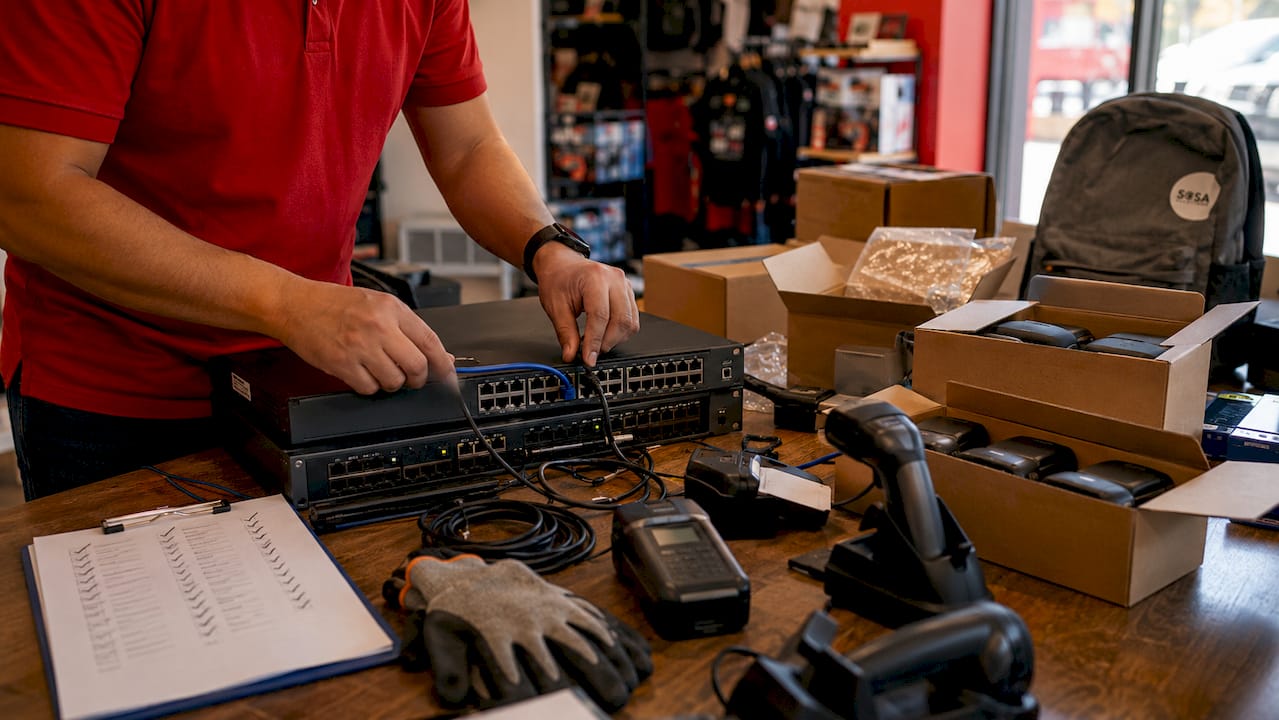
Beyond the help desk, a well-structured contract covers end-to-end lifecycle management, including procurement, staging, deployment, on-site maintenance, and decommissioning. This scope reduces installation errors and means new locations open with fully tested technology from day one. Proactive network monitoring and remote desktop access are standard inclusions that catch problems before they become outages.
PCI DSS compliance is a non-negotiable element for any retailer processing card payments. Compliance is continuous, requiring segmentation, access control, logging, vulnerability scanning, and regular audits, not a one-time setup. A contract that omits these tasks leaves your business exposed to fines and data breaches.
What to assess before signing a retail IT support agreement
Before you compare providers, you need a clear picture of your current technology environment. Start with these four areas:
POS and payment systems: Document every terminal model, software version, and network connection. Providers price contracts partly on hardware complexity, and gaps in your own records create billing disputes later.
Network infrastructure: Identify routers, switches, access points, and any legacy cabling. Retail networks often carry POS traffic, security cameras, and customer Wi-Fi on the same hardware, which creates security and performance risks.
Back-office systems: Inventory management, payroll, and reporting tools all need uptime guarantees. List them and note which are cloud-based versus on-premise.
Operational hours and peak periods: A store open 7 days a week during holiday season needs different coverage than a boutique open Tuesday through Saturday. Your contract’s SLA must reflect your actual risk window.
Pro Tip: Map your busiest sales days for the past 12 months before meeting any provider. Showing concrete peak-period data forces the vendor to address coverage gaps directly rather than defaulting to a standard 8/5 support window.
Compliance requirements shape contract scope significantly. PCI DSS v4.0 mandates ongoing evidence management and documentation, so your contract must explicitly assign responsibility for those tasks to the provider, not leave them ambiguous. Also evaluate your existing vendor relationships. If you already have a hardware warranty with a manufacturer, a new managed IT agreement should integrate with it rather than duplicate coverage.
How to compare IT support contract options for your stores
The most important decision in selecting retail IT support services is choosing between a fragmented multi-vendor model and a unified lifecycle partner. Vendor fragmentation leads to slower resolutions and inconsistent experiences across locations because no single party owns the outcome. The UPS Store resolved this by consolidating field services, help desk, and lifecycle management under one partner across 5,500 franchise locations, achieving predictable pricing and high first-call resolution rates. That result took 25 years to build, but the structural lesson applies immediately: single accountability beats distributed responsibility.
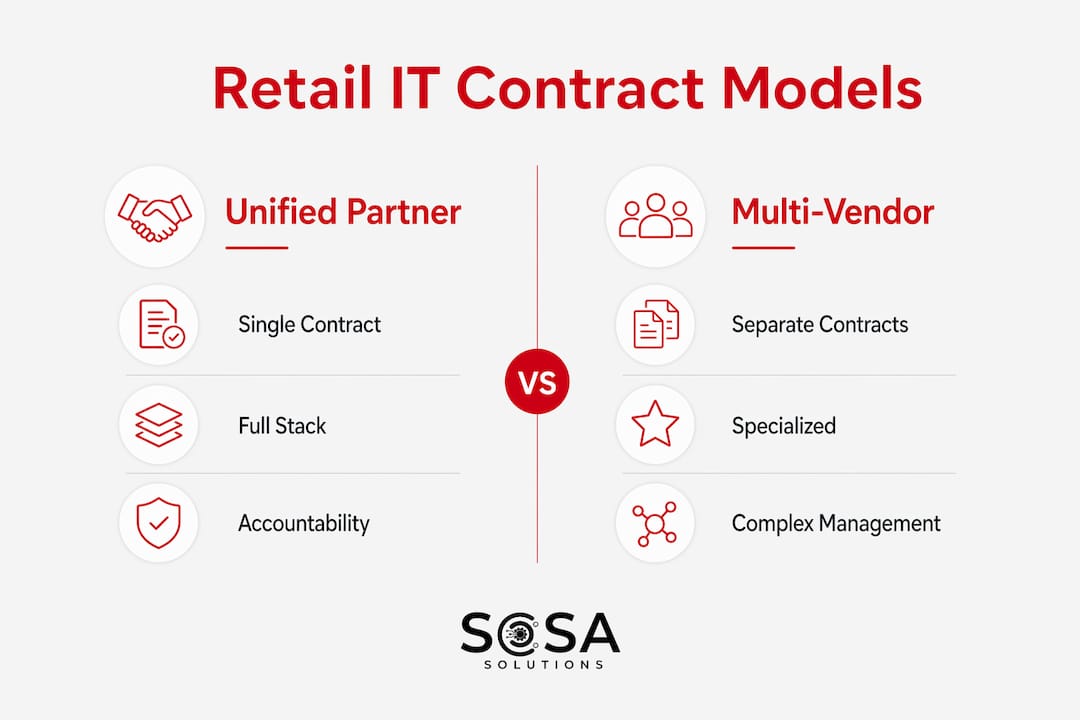
Use the table below to compare the most common contract delivery models:
Contract model | Best for | Key advantage | Key risk |
Unified lifecycle partner | Multi-location retailers | Single accountability, flat-rate pricing | Higher upfront cost |
Multi-vendor patchwork | Single-location stores with niche needs | Specialized expertise per system | Finger-pointing during incidents |
Remote-only managed IT | Low-complexity, cloud-heavy stores | Lower cost, fast ticket response | No on-site coverage for hardware |
Break-fix per incident | Very small stores, minimal tech | No monthly commitment | Unpredictable costs, slow response |
SLA terms determine real-world performance. Coverage options range from 8/5 business hours to 24/7 support, with on-site response commitments of same business day or next business day for hardware failures. A store that closes at 9 PM needs at minimum a same-day response window, not a next-morning callback.
Pricing models also vary. Flat-rate monthly fees give you budget predictability. Per-incident billing looks cheaper until a bad month arrives. Bundled services, where monitoring, help desk, and field support are packaged together, typically deliver the best value for stores with consistent technology footprints.
Pro Tip: Ask every provider for their first-call resolution rate before signing. A provider who cannot produce this metric either does not track it or does not want you to see it. Both are disqualifying.
Step-by-step best practices for implementing your IT support contract
Signing the contract is the start, not the finish. Follow these steps to get full value from your managed IT services for retail:
Conduct a site audit before go-live. The provider should document every device, cable run, and software license at each location. This baseline prevents disputes about what is and is not covered.
Stage and test all hardware before deployment. Retail IT contracts that include staging reduce installation errors significantly. Do not allow a provider to skip this step to save time.
Establish a single ticketing channel. Whether you use ServiceNow, Zendesk, or a proprietary portal, all incidents must flow through one system. Multiple contact methods create duplicate tickets and lost accountability.
Train your store staff on the ticketing process. Engaged, trained staff improve incident management and reduce resolution time. A 15-minute onboarding session per location pays for itself the first time a manager correctly escalates a POS failure instead of calling the wrong number.
Set monthly performance reviews. Track uptime percentage, first-call resolution rate, and mean time to resolution. These three metrics tell you whether the contract is delivering or deteriorating.
Schedule quarterly compliance audits. Proactive management prevents the revenue losses that retail outages cause during peak sales periods. Compliance audits catch security drift before it becomes a breach.
Plan hardware refresh cycles into the contract. Devices older than four years carry higher failure rates. Build replacement schedules into the agreement so refreshes happen on your timeline, not after a critical failure.
What contract management pitfalls should retail stores avoid?
The most common failure in retail IT support agreements is unclear accountability. When your POS goes down and three vendors each point at the other two, you lose revenue by the minute. Unified lifecycle management eliminates this problem by making one partner responsible for the full technology stack.
Watch for these specific pitfalls:
Overlooked compliance maintenance: PCI DSS compliance is not a checkbox. If your contract does not explicitly assign ongoing security tasks, logging, and audit documentation to the provider, you own that risk by default.
Regional service quality gaps: A provider with strong coverage in New York may have thin field technician networks in Florida. Verify technician density in every market where you operate before signing.
Inadequate peak-period planning: Proactive monitoring during Black Friday or holiday sales periods requires deliberate scheduling. Confirm that your contract includes surge coverage provisions, not just standard SLA terms.
Vague change request processes: Technology environments change. New POS software, additional terminals, or a store remodel all require contract amendments. Providers who handle change requests informally create billing disputes and scope creep.
Skipping documentation: Evidence collection for PCI DSS audits must be continuous. A provider who cannot produce logs and audit trails on demand is a liability.
“The retailers who get the most from their IT contracts treat the provider as an internal team member, not a vendor. They share business calendars, flag upcoming promotions, and review performance data together. That relationship dynamic changes everything about response speed and service quality.”
For a detailed framework on handling technology failures when they do occur, the retail IT incident response guide from Sosasolutionsnyc covers POS uptime protocols and rapid resolution steps specific to retail environments.
Key takeaways
A retail IT support contract delivers maximum value only when it combines unified accountability, proactive compliance management, and SLA terms matched to your actual operating hours and peak sales periods.
Point | Details |
Tiered help desk structure | L1, L2, L3 escalation routes tickets correctly and reduces repeat troubleshooting by store staff. |
Unified partner beats multi-vendor | Single accountability eliminates finger-pointing and accelerates resolution across all locations. |
PCI DSS is ongoing, not one-time | Your contract must assign continuous compliance tasks, logging, and audit documentation to the provider. |
SLA terms must match your hours | Coverage options range from 8/5 to 24/7; match your contract to your actual risk window and peak periods. |
Performance metrics drive value | Track uptime, first-call resolution rate, and mean time to resolution monthly to hold providers accountable. |
Why I think most retailers are signing the wrong IT contracts
I have reviewed dozens of IT support agreements for retail businesses, and the pattern is consistent. Owners sign contracts based on monthly price, then discover six months later that on-site response is not included, or that compliance tasks are listed as “available upon request” rather than scheduled deliverables. The contract looked fine on paper. The operational reality was something else entirely.
The retailers who get this right share one habit: they treat the IT support agreement as a business continuity document, not a technology procurement. They ask what happens to their revenue if the POS is down for four hours on a Saturday in December. They ask who picks up the phone at 8 PM on a Sunday. They ask for references from retailers with similar location counts and operating hours.
The UPS Store’s 25-year partnership with a single IT provider is not a story about loyalty. It is a story about what happens when you stop managing multiple vendor relationships and start managing one outcome. Most small and mid-size retailers can replicate that model at their scale. The benefits of outsourced IT support are real, but only when the contract is structured to deliver them.
My honest advice: before you sign anything, ask the provider to walk you through exactly what happens during a POS failure at 6 PM on a Friday. Their answer will tell you more than any SLA document.
— Christopher
How Sosasolutionsnyc supports retail IT contracts in New York and Florida
Sosasolutionsnyc specializes in managed IT services built specifically for retail store operations across New York and Florida. Their contracts cover the full technology lifecycle, from pre-opening infrastructure setup and hardware staging to ongoing help desk support, proactive monitoring, and PCI DSS compliance management.
For retailers opening new locations or upgrading existing store technology, Sosasolutionsnyc’s store opening IT solutions deliver site-ready infrastructure with tested POS systems, network configuration, and staff training built into the engagement. Their unified support model means one accountable partner handles field services, remote troubleshooting, and compliance tasks, so your team focuses on customers, not IT tickets.
FAQ
What is an IT support contract for retail stores?
An IT support contract for retail stores is a formal managed services agreement that defines help desk tiers, field support, SLA response times, and compliance responsibilities for a retailer’s technology environment. It replaces ad-hoc break-fix calls with structured, proactive technical support.
How do SLAs work in retail IT support agreements?
SLAs specify coverage hours, on-site response times, and escalation processes. Retail contracts typically offer 8/5 to 24/7 coverage, with same-business-day or next-business-day on-site response for hardware failures depending on the tier selected.
Why does PCI DSS matter in a retail IT support contract?
PCI DSS compliance requires continuous security tasks including segmentation, access control, logging, and vulnerability scanning. A retail IT contract must explicitly assign these ongoing tasks to the provider, not treat them as optional add-ons.
What is the difference between a unified IT partner and a multi-vendor model?
A unified partner manages the full technology stack under one contract with single accountability, while a multi-vendor model splits responsibilities across multiple providers. Unified models reduce resolution time and eliminate the accountability gaps that slow down incident response.
How do I know if my current IT support contract is underperforming?
Track three metrics monthly: uptime percentage, first-call resolution rate, and mean time to resolution. If your provider cannot supply these figures or if resolution times are increasing, the contract is not delivering the value you are paying for.
Recommended
Comments